Artificial intelligence is changing how people create content. Tasks that once required graphic designers, copywriters, video editors, and social media managers can now be completed in minutes with the help of AI-powered tools.
One of the most significant developments in this area is the introduction of AI capabilities inside Adobe Express. Adobe Express combines templates, design tools, content generation features, and Adobe Firefly technologies into a single platform designed to help individuals and teams create content faster.
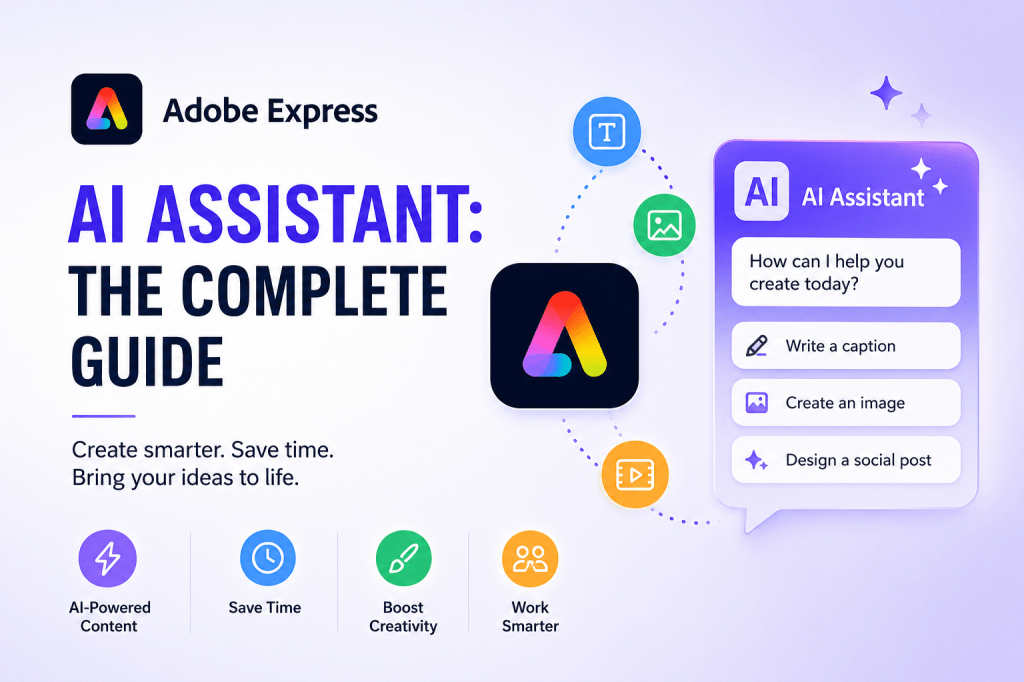
At the center of this experience is the Adobe Express AI Assistant, which helps users generate, edit, refine, and publish content through natural language prompts.
This guide explores what the Adobe Express AI Assistant is, how it works, and how businesses can use it to improve productivity.
What Is Adobe Express AI Assistant?
Adobe Express AI Assistant is an AI-powered helper built directly into Adobe Express.
Instead of manually performing every design or content creation task, users can describe what they want using natural language.
For example:
- Create a LinkedIn post about cybersecurity.
- Generate a product announcement graphic.
- Rewrite this text to sound more professional.
- Create five Instagram captions.
- Turn this blog post into social media content.
The assistant combines Adobe’s creative technologies with generative AI capabilities to streamline content creation workflows.
The goal is simple:
Spend less time creating assets and more time publishing content.
Why Adobe Added AI Assistant
Many content creators face the same challenge:
- Writing content
- Designing visuals
- Resizing graphics
- Creating presentations
- Managing social media
These repetitive tasks consume hours every week.
The AI Assistant helps eliminate much of this manual work by automating:
- Content generation
- Design creation
- Content rewriting
- Visual enhancement
- Workflow acceleration
Rather than replacing creativity, the assistant acts as a productivity accelerator.
Key Features of Adobe Express AI Assistant
Content Generation
Users can create:
- Social media posts
- Marketing copy
- Product descriptions
- Headlines
- Blog introductions
- Email drafts
Simply describe the desired output and the AI Assistant generates content suggestions.
Example:
Prompt
Write a LinkedIn post announcing a new cybersecurity consulting service.
The assistant can generate a complete first draft within seconds.
Text Rewriting
Existing content can be improved using AI.
Common uses include:
- Shortening text
- Expanding content
- Improving clarity
- Changing tone
- Simplifying language
Examples:
- Professional tone
- Friendly tone
- Marketing tone
- Educational tone
- Technical tone
This makes Adobe Express useful for teams creating content for multiple audiences.
Image Generation
Through Adobe Firefly integration, users can generate images from text prompts.
Examples:
- Business illustrations
- Marketing graphics
- Social media visuals
- Background images
- Concept artwork
Instead of searching stock photo libraries, users can create custom visuals on demand.
Template Creation
Adobe Express provides thousands of templates.
The AI Assistant can help users:
- Select templates
- Customize layouts
- Generate matching content
- Apply branding
This dramatically reduces design time.
Presentation Generation
Creating presentations often takes hours.
The AI Assistant helps generate:
- Slide content
- Presentation structures
- Speaker notes
- Visual elements
Businesses can quickly create professional presentations without starting from a blank page.
How Adobe Express AI Assistant Works
The workflow is straightforward.
Step 1
Open Adobe Express.
Step 2
Describe what you need.
Example:
Create a social media campaign for a new product launch.
Step 3
Review AI-generated suggestions.
Step 4
Customize results.
Step 5
Publish or export content.
The process requires little technical knowledge.
Best Use Cases
Social Media Teams
Social media managers often need:
- Daily posts
- Weekly campaigns
- Graphics
- Captions
- Hashtags
AI Assistant speeds up every stage of production.
Small Businesses
Small businesses rarely have large marketing departments.
Adobe Express AI Assistant helps owners:
- Create advertisements
- Build promotions
- Generate announcements
- Create social content
without hiring additional staff.
Consultants
Consultants can create:
- Client presentations
- Reports
- LinkedIn posts
- Educational content
more efficiently.
Educators
Teachers and trainers can generate:
- Learning materials
- Presentations
- Course graphics
- Handouts
with significantly less effort.
Content Creators
Content creators can transform one idea into multiple content formats:
- Blog posts
- Social posts
- Videos
- Graphics
- Presentations
This supports a content repurposing strategy.
Example Productivity Workflow
Consider a business publishing a weekly article.
Without AI:
- Write article.
- Create graphics.
- Design LinkedIn posts.
- Create X posts.
- Build presentation slides.
Total time:
4–6 hours.
With Adobe Express AI Assistant:
- Generate social posts.
- Generate graphics.
- Create presentation slides.
- Resize content.
Total time:
1–2 hours.
This productivity gain is why many businesses are exploring AI-assisted content creation.
Best Prompts for Adobe Express AI Assistant
Marketing
Create a product launch announcement for LinkedIn.
Social Media
Generate five engaging Instagram captions for a fitness brand.
Business
Rewrite this announcement in a professional tone.
Educational
Summarize this article into five key learning points.
Presentation
Create a 10-slide presentation about cybersecurity awareness.
Good prompts typically include:
- Audience
- Objective
- Tone
- Content type
The more specific the prompt, the better the output.
Adobe Express AI Assistant vs Traditional Content Creation
| Task | Traditional Method | AI Assistant |
|---|---|---|
| Social Posts | 20–30 minutes | 2–5 minutes |
| Graphics | 30–60 minutes | 5–10 minutes |
| Presentations | Several hours | Minutes |
| Content Repurposing | Manual | Automated |
| Design Variations | Manual recreation | Instant generation |
The difference becomes significant when creating content at scale.
Limitations
AI Assistant is powerful but not perfect.
Users should still:
- Verify facts
- Review generated content
- Check branding consistency
- Ensure compliance requirements are met
Human review remains important.
The Future of Adobe Express AI Assistant
Adobe continues expanding AI capabilities through:
- Adobe Firefly
- Generative image tools
- Content generation features
- Workflow automation
- Business integrations
Future developments will likely include:
- More advanced content planning
- Automated campaign generation
- Enhanced collaboration tools
- Deeper integration with Adobe Creative Cloud
The direction is clear:
AI is becoming a core component of content production workflows.
Conclusion
Adobe Express AI Assistant is designed to help users create content faster, reduce repetitive work, and improve productivity.
Whether you are a marketer, consultant, educator, content creator, or small business owner, the assistant can automate many of the tasks involved in modern content production.
Instead of spending hours creating every asset manually, users can focus on strategy, messaging, and creativity while Adobe Express handles much of the execution.
As AI-powered content creation continues to evolve, Adobe Express AI Assistant is becoming an increasingly important tool for businesses seeking faster and more efficient workflows.
Related Guides
- Adobe Express Automation
- Adobe Express Productivity Workflows
- Adobe Express AI Tools
- Adobe Express for Small Business
- Adobe Express vs Canva
- Building an AI Content Publishing System with Adobe Express
- Using Adobe Express for LinkedIn Content Creation
- Adobe Firefly and Adobe Express Explained
- Adobe Express Content Repurposing Strategies
- Creating a Complete Social Media Workflow with Adobe Express







 Acrobat Express Pro