Artificial intelligence is rapidly transforming how content is created. Tasks that once required professional designers, copywriters, marketers, and video editors can now be completed in minutes with AI-powered software.
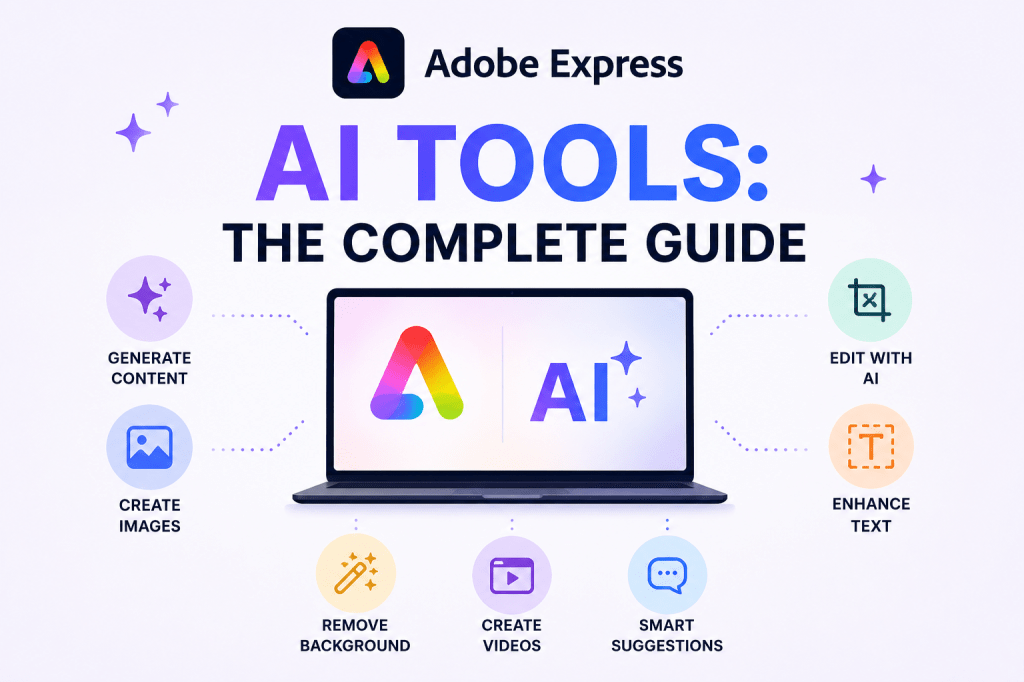
Adobe has embraced this shift by integrating AI capabilities throughout Adobe Express. These tools help users generate content, create images, edit designs, write marketing copy, remove backgrounds, produce videos, and accelerate workflows.
For individuals, small businesses, educators, marketers, and content creators, Adobe Express AI tools offer a practical way to increase productivity while maintaining professional quality.
This guide provides a comprehensive overview of the AI features available in Adobe Express and explains how they can be used effectively.
What Are Adobe Express AI Tools?
Adobe Express AI tools are a collection of artificial intelligence features designed to simplify content creation.
Rather than manually completing every step of a project, users can leverage AI to:
- Generate content
- Create images
- Edit photos
- Design graphics
- Produce videos
- Rewrite text
- Remove distractions
- Generate ideas
These capabilities reduce repetitive work and allow users to focus on strategy and creativity.
Why Adobe Is Investing in AI
Modern content production faces several challenges:
- Increasing demand for content
- Shorter publishing cycles
- Multi-platform marketing
- Limited resources
- Rising design costs
AI helps address these challenges by accelerating production while reducing manual effort.
Adobe’s vision is not to replace human creativity but to augment it.
The AI tools inside Adobe Express are designed to act as creative assistants rather than autonomous creators.
Adobe Firefly: The Foundation of Adobe AI
Many Adobe Express AI capabilities are powered by Adobe Firefly.
Adobe Firefly provides generative AI technologies that support:
- Image generation
- Text effects
- Generative fill
- Background creation
- Creative ideation
Firefly is deeply integrated throughout Adobe’s creative ecosystem, including Adobe Express.
AI Tool #1: AI Assistant
The AI Assistant serves as a conversational helper inside Adobe Express.
Users can describe what they need using natural language.
Examples:
Create a LinkedIn post announcing a product launch.
Generate five social media captions for a cybersecurity company.
Rewrite this paragraph in a more professional tone.
The assistant generates content suggestions that users can refine.
AI Tool #2: Text Generation
Writing often represents a major bottleneck in content production.
Adobe Express AI can generate:
- Headlines
- Marketing copy
- Social media posts
- Product descriptions
- Blog introductions
- Promotional content
Example prompt:
Write a social media announcement for a new online course about project management.
The AI provides a draft that can be customized.
AI Tool #3: Text Rewriting
Many users already have content but want to improve it.
AI-powered rewriting tools can:
- Shorten content
- Expand content
- Simplify language
- Improve clarity
- Change tone
Examples include:
- Professional
- Friendly
- Educational
- Promotional
- Technical
This feature is particularly useful for adapting content to different audiences.
AI Tool #4: Text-to-Image Generation
One of the most popular AI capabilities is image generation.
Users can create original visuals simply by describing them.
Example:
Modern office team collaborating around AI-powered dashboards.
The AI generates a unique image based on the prompt.
Common use cases include:
- Blog illustrations
- Marketing graphics
- Social media visuals
- Presentation imagery
- Product concepts
AI Tool #5: Background Removal
Background removal is one of the most frequently used image editing tasks.
Traditionally this required specialized software.
Adobe Express can automatically:
- Detect subjects
- Remove backgrounds
- Create transparent images
This feature is particularly useful for:
- Product photography
- Marketing assets
- Profile images
- Promotional graphics
AI Tool #6: Generative Fill
Generative Fill allows users to add or remove elements from images using AI.
Examples:
- Remove distractions
- Expand image backgrounds
- Add missing visual elements
- Improve composition
This significantly reduces manual editing effort.
AI Tool #7: AI-Powered Templates
Templates have always accelerated content creation.
AI now makes templates more dynamic.
Adobe Express can help:
- Recommend templates
- Suggest layouts
- Generate content for templates
- Apply brand standards
This creates a faster starting point for new projects.
AI Tool #8: Video Creation Assistance
Video production often requires significant effort.
Adobe Express AI helps simplify:
- Script creation
- Caption generation
- Visual selection
- Editing assistance
This enables users to create video content more efficiently.
AI Tool #9: Content Repurposing
One of the most valuable AI applications is content transformation.
Example:
A blog article becomes:
- LinkedIn posts
- Instagram captions
- Presentation slides
- Promotional graphics
AI dramatically reduces the time required for repurposing.
AI Tool #10: Idea Generation
Content creators frequently struggle with idea generation.
Adobe Express AI can assist with:
- Content calendars
- Campaign ideas
- Social media topics
- Marketing concepts
Example:
Generate ten content ideas for an accounting firm.
The AI can provide an immediate starting point.
AI Tools for Social Media
Social media content often requires:
- Graphics
- Captions
- Videos
- Hashtags
- Content variations
Adobe Express AI helps automate much of this work.
Benefits include:
- Faster production
- Greater consistency
- Improved scalability
Many creators use AI to transform a single idea into multiple platform-specific assets.
AI Tools for Marketing Teams
Marketing departments can leverage Adobe Express AI to create:
- Campaign visuals
- Advertisements
- Landing page graphics
- Email content
- Product promotions
This allows teams to increase output without proportionally increasing resources.
AI Tools for Small Businesses
Small businesses often lack dedicated creative teams.
Adobe Express AI can effectively serve as:
- Content assistant
- Design assistant
- Marketing assistant
Business owners can quickly create professional assets without extensive design experience.
AI Tools for Educators
Teachers and trainers can use AI tools to create:
- Presentation slides
- Educational graphics
- Learning materials
- Visual explanations
This reduces preparation time while improving content quality.
AI Tools for Consultants
Consultants frequently need:
- Client presentations
- Marketing materials
- LinkedIn content
- Thought leadership posts
Adobe Express AI helps streamline these activities.
Best Practices for Using Adobe Express AI
Be Specific
Detailed prompts generally produce better results.
Instead of:
Create a social media post.
Use:
Create a LinkedIn post for IT managers about ransomware prevention using a professional tone.
Review All Output
AI-generated content should always be reviewed.
Check:
- Accuracy
- Grammar
- Branding
- Compliance requirements
Use AI as a Starting Point
The best results often come from combining AI assistance with human expertise.
AI accelerates creation.
Humans provide judgment.
Build Repeatable Workflows
AI becomes more valuable when integrated into a structured workflow.
Examples include:
- Weekly content production
- Social media publishing
- Marketing campaigns
- Presentation creation
Common Limitations of AI Tools
AI tools are powerful but imperfect.
Potential limitations include:
- Factual inaccuracies
- Generic wording
- Limited industry knowledge
- Occasional design inconsistencies
Human oversight remains essential.
Future of Adobe Express AI
AI capabilities continue expanding rapidly.
Future developments may include:
- Fully automated campaign generation
- Advanced content planning
- Personalized content creation
- Workflow orchestration
- Enhanced collaboration assistants
Adobe is positioning Express as a comprehensive AI-powered content platform.
Conclusion
Adobe Express AI tools help users create content faster, improve productivity, and reduce repetitive work.
From text generation and image creation to background removal and content repurposing, these tools provide practical assistance across the entire content lifecycle.
Whether you are a marketer, consultant, educator, entrepreneur, or content creator, Adobe Express AI tools can significantly accelerate content production while maintaining professional quality.
Organizations that learn how to integrate AI effectively into their workflows are likely to gain substantial advantages in content creation speed, consistency, and scalability.
Related Guides
- Adobe Express AI Assistant
- Adobe Express Automation
- Adobe Express Productivity Workflows
- Adobe Express for Social Media
- Adobe Express Templates
- Adobe Express Brand Kits Explained
- Adobe Express for Small Business
- Building an AI Content Publishing System with Adobe Express
- Adobe Firefly Explained
- Adobe Express vs Canva AI Features Compared








