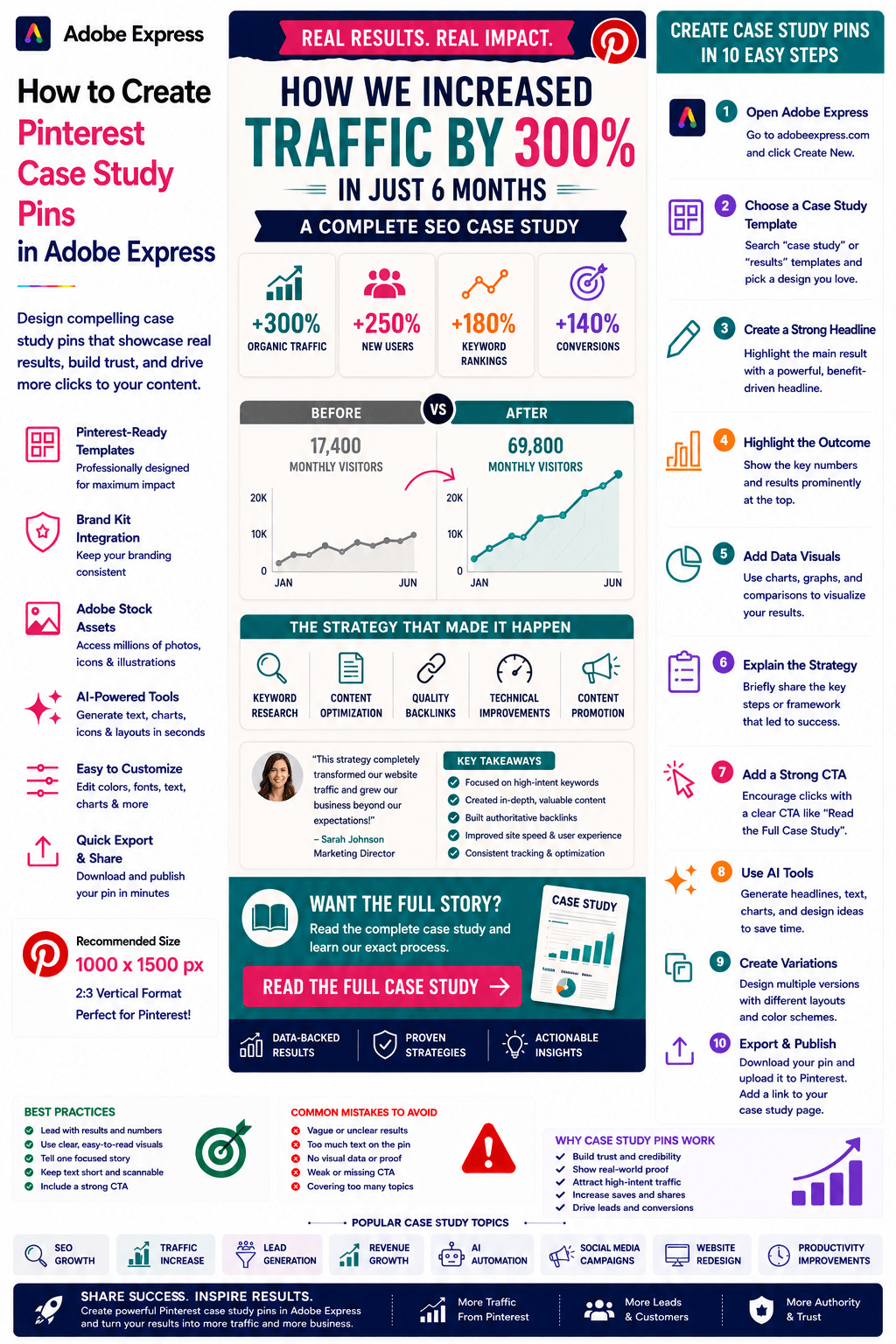
Case studies are one of the most persuasive forms of content you can publish.
Unlike opinion pieces or general advice, case studies demonstrate real-world results. They show what happened, how it happened, and what outcomes were achieved.
On Pinterest, Case Study Pins can attract highly engaged users because they provide proof, credibility, and practical insights.
Whether you’re showcasing:
- Marketing results
- SEO growth
- Business transformations
- AI implementations
- Design projects
- Sales improvements
- Productivity gains
- Client success stories
Pinterest Case Study Pins can generate traffic, leads, authority, and conversions.
Adobe Express makes it easy to create professional Case Study Pins using:
- Pinterest templates
- Brand Kits
- AI-powered design tools
- Adobe Stock assets
- Charts and graphics
- Fast export workflows
In this guide, you’ll learn how to create Pinterest Case Study Pins using Adobe Express.
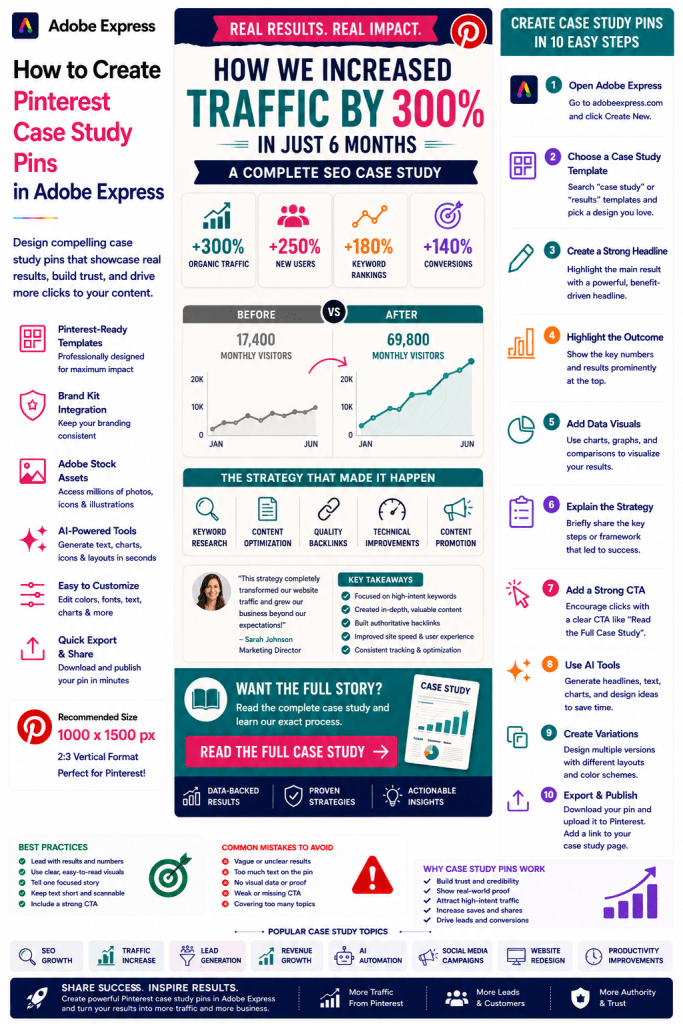
What Are Pinterest Case Study Pins?
Case Study Pins are Pinterest graphics designed to highlight real-world results and success stories.
Examples include:
How We Increased Traffic by 300%
How an AI Agent Saved 20 Hours per Week
SEO Growth Case Study
Adobe Express Marketing Campaign Results
Website Redesign Success Story
Affiliate Revenue Growth Example
The goal is to encourage users to click through and read the full case study.
Why Case Study Pins Perform Well
Pinterest users often search for proof and practical examples.
Benefits include:
Builds Trust
Real results increase credibility.
Generates Traffic
Users want to learn the complete story.
Demonstrates Expertise
Case studies position you as an authority.
Supports Sales
Success stories reduce buyer uncertainty.
Evergreen Value
Strong case studies remain relevant for years.
Case studies often outperform generic advice content.
Best Topics for Case Study Pins
Popular case study categories include:
Marketing
SEO
Blogging
AI Automation
Small Business
Productivity
E-Commerce
Social Media
Design
Lead Generation
Choose examples with measurable outcomes.
Recommended Pinterest Pin Size
Pinterest recommends:
1000 × 1500 Pixels
2:3 Vertical Format
Adobe Express provides Pinterest-ready templates.
Step 1: Open Adobe Express
Sign in to Adobe Express.
From the dashboard:
Click Create New
or
Search Pinterest Templates
Adobe Express includes layouts suitable for business storytelling.
Step 2: Choose a Case Study Layout
Browse categories such as:
Business
Marketing
Reports
Data Visualizations
Success Stories
Infographics
Select a design that highlights results clearly.
Step 3: Create a Strong Headline
Examples:
How We Increased Traffic by 300%
AI Agent Saves 20 Hours Every Week
SEO Growth: From 1,000 to 50,000 Visitors
How This Business Doubled Revenue
Website Redesign Results Explained
Results-focused headlines attract attention.
Step 4: Highlight the Outcome
The result should be immediately visible.
Examples:
+300% Traffic
+150% Leads
20 Hours Saved Weekly
5x Revenue Growth
10,000 New Subscribers
Numbers attract clicks.
Step 5: Use Charts and Visual Data
Examples:
Growth Graphs
Before-and-After Comparisons
KPI Dashboards
Trend Visualizations
Performance Metrics
Visual proof increases credibility.
Step 6: Apply Your Brand Kit
Adobe Express Brand Kits simplify consistency.
Apply:
Brand Colors
Brand Fonts
Logos
Design Assets
Consistent branding builds trust.
Step 7: Explain the Method
Give users a preview.
Examples:
Strategy Overview
Framework Used
Workflow Summary
Key Actions Taken
Lessons Learned
Provide enough information to create curiosity.
Step 8: Use Adobe Express AI Features
Adobe Express AI tools can generate:
Headlines
Visual Concepts
Charts
Layout Variations
Marketing Copy
AI helps speed up content creation.
Step 9: Add a Strong Call-to-Action
Examples:
Read the Full Case Study
See the Complete Results
Learn the Strategy
Discover the Framework
View the Entire Story
CTAs increase click-through rates.
Step 10: Export and Publish
When complete:
Save Project
Download Pin
Create Variations
Upload to Pinterest
Your Case Study Pin is ready.
Creating SEO Case Study Pins
Examples:
Ranking Growth
Traffic Increases
Keyword Expansion
Link Building Success
SEO results are highly popular on Pinterest.
Creating AI Case Study Pins
Examples:
AI Agent Implementations
Automation Results
Productivity Improvements
Cost Savings
AI success stories attract significant interest.
Creating Marketing Case Study Pins
Examples:
Campaign Performance
Lead Generation Results
Social Media Growth
Conversion Improvements
Marketing examples provide practical value.
Creating Business Case Study Pins
Examples:
Startup Growth
Revenue Increases
Customer Acquisition
Operational Improvements
Business audiences actively seek proven examples.
Creating Design Case Study Pins
Examples:
Website Redesigns
Branding Projects
UX Improvements
Design System Results
Visual transformations perform particularly well.
Best Practices for Case Study Pins
Lead With Results
Show outcomes first.
Use Numbers
Specific metrics build trust.
Include Visual Proof
Graphs and screenshots improve credibility.
Focus on One Story
Avoid mixing multiple case studies.
Use a Strong CTA
Drive traffic to the full article.
These practices improve performance.
Common Case Study Pin Mistakes
No Metrics
Makes results less convincing.
Weak Headline
Fails to attract attention.
Too Much Information
Overwhelms users.
No Visual Data
Reduces credibility.
Missing CTA
Misses traffic opportunities.
Avoiding these mistakes improves results.
Example Workflow
Imagine promoting a case study.
Headline
How We Increased Traffic by 300%
Result
+50,000 Monthly Visitors
Visual
Traffic Growth Graph
Method
SEO Content Strategy
CTA
Read the Full Case Study
This structure performs extremely well on Pinterest.
Why Adobe Express Is Ideal for Case Study Pins
Adobe Express combines:
Professional Templates
Brand Management
AI Design Tools
Data Visualization Support
Easy Editing
Fast Export
Pinterest-Friendly Layouts
This makes it one of the easiest tools for creating persuasive case study content.
Conclusion
Pinterest Case Study Pins are highly effective for building authority, demonstrating expertise, generating leads, and driving website traffic.
By combining templates, Brand Kits, AI-powered tools, and streamlined workflows, Adobe Express enables creators and businesses to create professional Case Study Pins quickly and consistently.
Whether you’re showcasing marketing wins, SEO growth, AI implementations, business improvements, or design transformations, Adobe Express provides everything needed to create high-performing Pinterest Case Study Pins.
Continue Learning Adobe Express
To learn more about Pinterest marketing, explore these guides:
- How to Create Pinterest Resource Guide Pins in Adobe Express
- How to Create Pinterest Template Promotion Pins in Adobe Express
- How to Create Pinterest Ebook Promotion Pins in Adobe Express
For advanced marketing workflows, also read:
- Adobe Express Marketing Automation: The Complete Guide
- Adobe Express Content Calendars: The Complete Guide
- Adobe Express Workflow Automation: The Complete Guide








