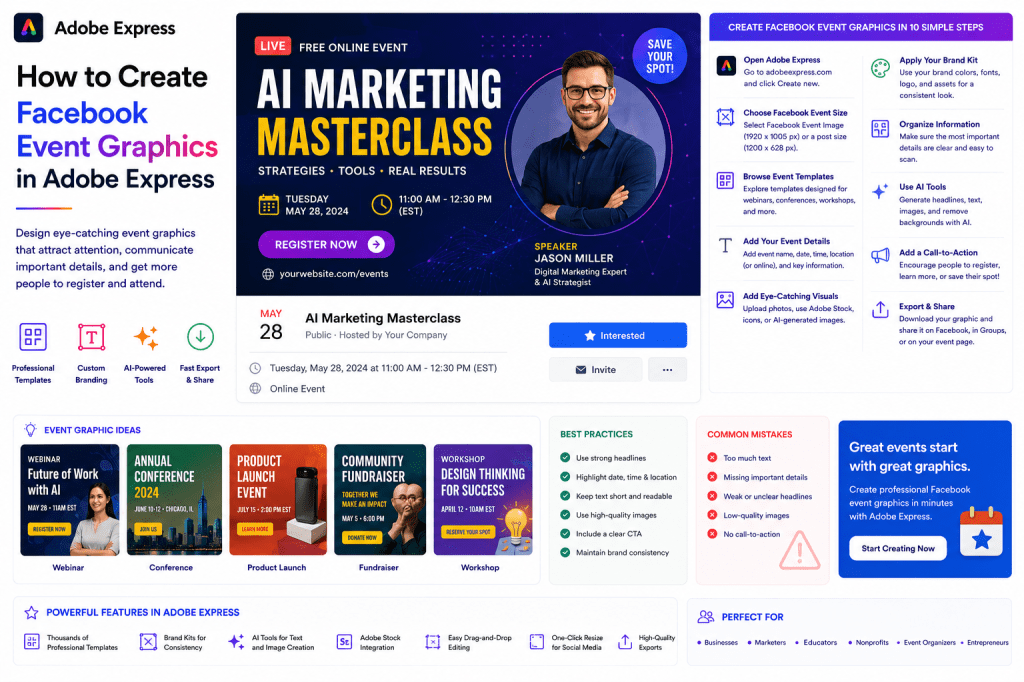
Whether you’re promoting a webinar, workshop, conference, fundraiser, product launch, community gathering, or online event, attractive Facebook event graphics can significantly increase visibility and registrations.
A professionally designed event graphic immediately communicates important information and encourages people to learn more about your event.
Adobe Express makes it easy to create Facebook event graphics using:
- Professional event templates
- AI-powered design tools
- Brand Kits
- Adobe Stock photos
- Event-specific layouts
- Quick export options
In this guide, you’ll learn how to create Facebook event graphics using Adobe Express.
Why Facebook Event Graphics Matter
Event graphics are often the first thing potential attendees see.
Strong event graphics can:
Increase Clicks
Capture attention in crowded feeds.
Improve Registration Rates
Encourage users to learn more.
Build Professional Credibility
Create trust in your event.
Strengthen Branding
Reinforce your organization’s identity.
Improve Shareability
Increase event visibility through social sharing.
A compelling graphic can directly impact attendance.
Types of Facebook Event Graphics
Adobe Express supports many event categories.
Examples include:
Webinars
Conferences
Workshops
Product Launches
Fundraisers
Community Events
Training Sessions
Networking Events
Virtual Events
Live Streams
Choose a design that fits your audience and event type.
Facebook Event Graphic Sizes
Common Facebook event graphics typically use:
1200 × 628 Pixels
For promotional posts.
Facebook Event Covers often use:
1920 × 1005 Pixels
Adobe Express provides templates already sized correctly.
Step 1: Open Adobe Express
Sign in to Adobe Express.
From the dashboard:
Click Create New
or
Search Facebook Event Templates
Adobe Express includes numerous event-specific designs.
Step 2: Choose an Event Template
Browse templates by category.
Examples:
Business Events
Educational Events
Nonprofit Events
Marketing Events
Technology Events
Community Events
Templates provide a professional starting point.
Step 3: Add Event Details
Every event graphic should clearly communicate:
Event Name
Date
Time
Location
Online Platform
Registration Information
Keep details easy to scan.
Step 4: Add a Strong Headline
Examples:
Join Our Free AI Webinar
Annual Marketing Summit 2026
Product Launch Live Event
Fundraising Gala Night
The headline should immediately communicate value.
Step 5: Add Event Imagery
Visuals help attract attention.
Options include:
Speaker Photos
Team Photos
Product Images
Venue Photos
Adobe Stock Images
AI-Generated Graphics
Choose images relevant to the event.
Step 6: Apply Your Brand Kit
Adobe Express Brand Kits simplify branding.
Apply:
Brand Colors
Brand Fonts
Logos
Graphic Elements
Consistent branding builds recognition.
Step 7: Organize Information Hierarchy
Visitors should quickly understand:
What
When
Where
Why Attend
Prioritize the most important information visually.
Step 8: Use Adobe Express AI Features
Adobe Express includes several AI tools.
Examples:
Generate Event Headlines
Create Promotional Text
Generate Images
Remove Backgrounds
Expand Images
AI tools accelerate design creation.
Step 9: Add a Call-to-Action
Encourage users to take action.
Examples:
Register Now
Save Your Seat
Learn More
Reserve Your Spot
Join Us Live
Clear CTAs improve conversions.
Step 10: Export and Publish
When complete:
Save Project
Download Image
Duplicate Design
Share to Facebook
Upload to Event Page
Your event graphic is ready.
Creating Webinar Graphics
Webinars are among the most common event types.
Include:
Speaker Name
Event Topic
Date and Time
Registration Link
Key Benefits
Focus on educational value.
Creating Conference Graphics
Conference promotions often require:
Conference Name
Dates
Venue
Featured Speakers
Registration CTA
Professional branding is especially important.
Creating Fundraiser Graphics
Fundraising events benefit from:
Emotional Visuals
Mission Statement
Event Information
Donation Information
Impact Messaging
Focus on community impact.
Creating Product Launch Graphics
Product launch graphics should include:
Product Name
Launch Date
Key Benefits
Product Image
Registration or Reminder CTA
Build anticipation.
Creating Community Event Graphics
Community events often highlight:
Local Information
Participation Details
Activities
Family-Friendly Messaging
Contact Information
Keep designs welcoming and approachable.
Best Practices for Event Graphics
Prioritize Readability
Ensure key details are easy to read.
Use High-Quality Images
Professional visuals increase trust.
Highlight Date and Time
Make event timing obvious.
Include a CTA
Encourage action.
Stay On Brand
Maintain visual consistency.
These practices improve event promotion results.
Common Event Graphic Mistakes
Too Much Text
Overwhelms viewers.
Missing Event Details
Creates confusion.
Weak Headlines
Reduces interest.
Poor Image Quality
Looks unprofessional.
No CTA
Lowers registrations.
Avoiding these mistakes improves attendance rates.
Example Workflow
Imagine promoting an AI webinar.
Step 1
Choose a webinar template.
Step 2
Apply Brand Kit.
Step 3
Upload speaker photo.
Step 4
Add event details.
Step 5
Insert registration CTA.
Step 6
Review layout.
Step 7
Export.
Step 8
Publish to Facebook.
The process often takes less than 15 minutes.
Why Adobe Express Is Ideal for Event Graphics
Adobe Express combines:
Professional Templates
AI Design Tools
Brand Management
Fast Editing
Easy Publishing
This makes it one of the easiest platforms for creating Facebook event graphics.
Conclusion
Facebook event graphics play a critical role in attracting attention, communicating key information, and increasing registrations.
By combining templates, Brand Kits, AI-powered tools, and streamlined workflows, Adobe Express enables organizations to create professional event graphics quickly and consistently.
Whether you’re promoting webinars, conferences, workshops, fundraisers, or product launches, Adobe Express provides everything needed to create effective event marketing visuals.
Continue Learning Adobe Express
To learn more about Facebook content creation, explore these guides:
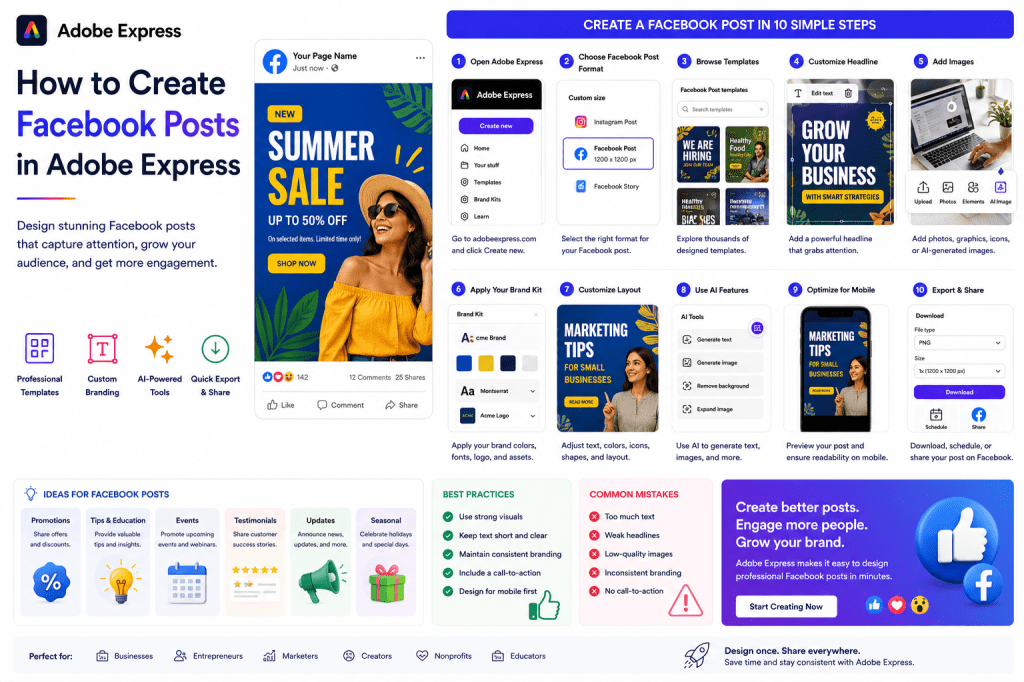
- How to Create Facebook Posts in Adobe Express
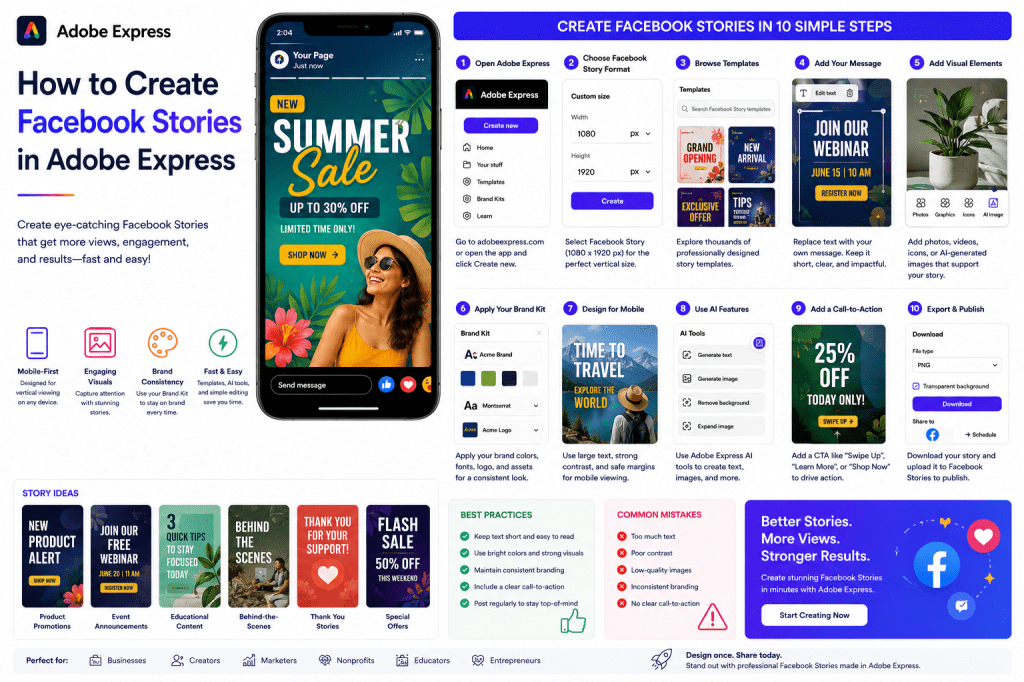
- How to Create Facebook Stories in Adobe Express
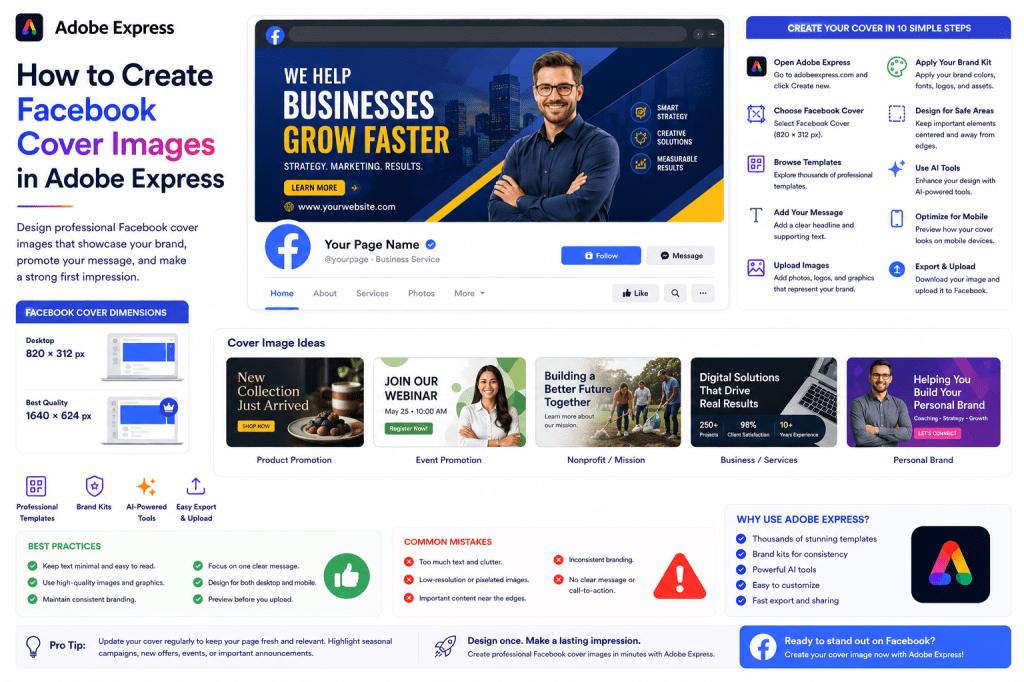
- How to Create Facebook Cover Images in Adobe Express
For advanced marketing workflows, also read:
- Adobe Express Marketing Automation: The Complete Guide
- Adobe Express Content Calendars: The Complete Guide
- Adobe Express for Social Media: The Complete Guide

 Acrobat Express Pro