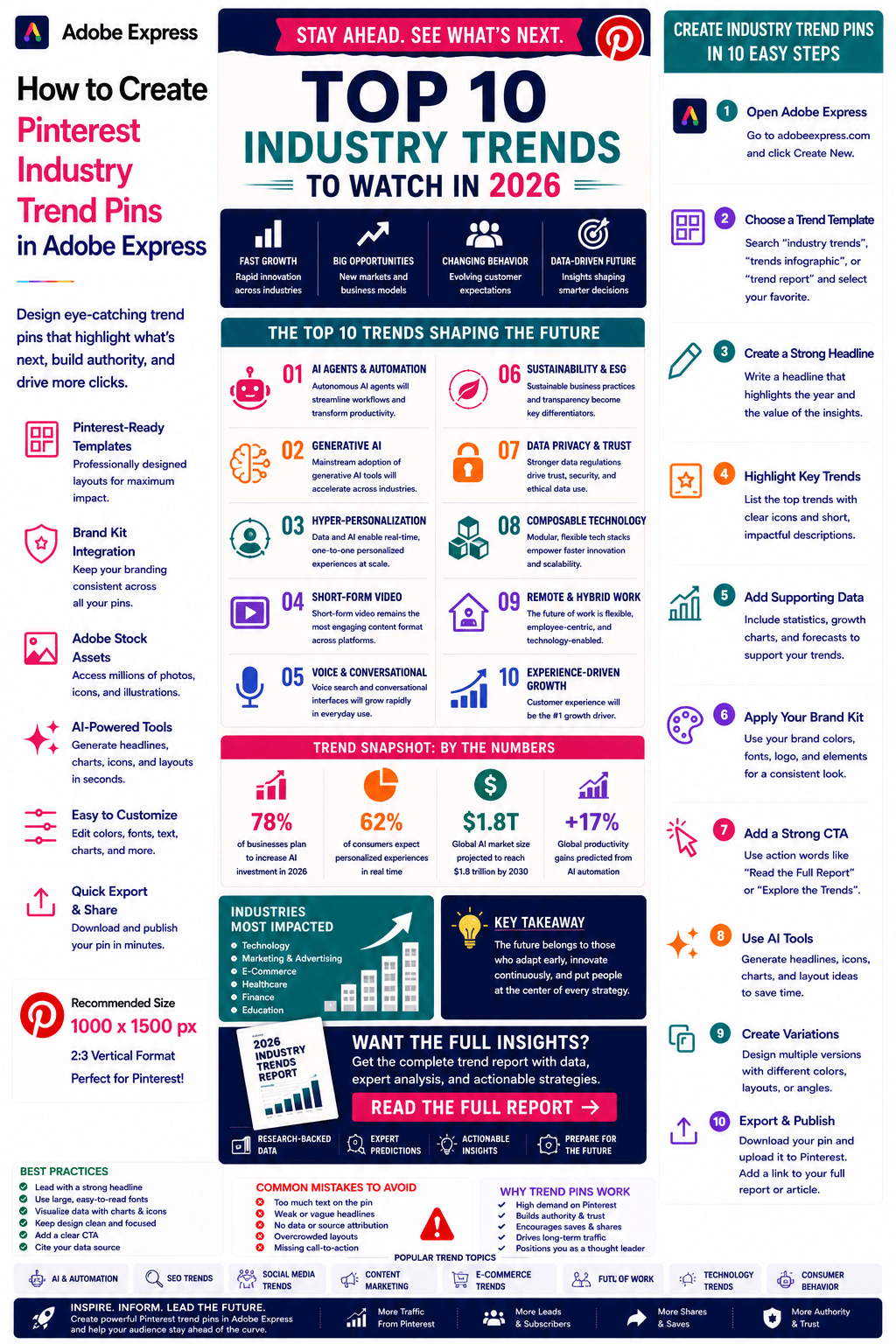
Industry trends are among the most valuable forms of content on Pinterest.
People use Pinterest to discover what’s new, what’s changing, and what opportunities are emerging in their industry. Whether you’re covering artificial intelligence, marketing, SEO, business growth, design, e-commerce, productivity, or social media, trend-focused content can attract highly engaged audiences.
Pinterest Industry Trend Pins help position you as a trusted source of insights while driving traffic to articles, reports, newsletters, and research publications.
Adobe Express makes it easy to create professional Industry Trend Pins using:
- Pinterest templates
- Brand Kits
- AI-powered design tools
- Adobe Stock assets
- Charts and visualizations
- Fast export workflows
In this guide, you’ll learn how to create Pinterest Industry Trend Pins using Adobe Express.
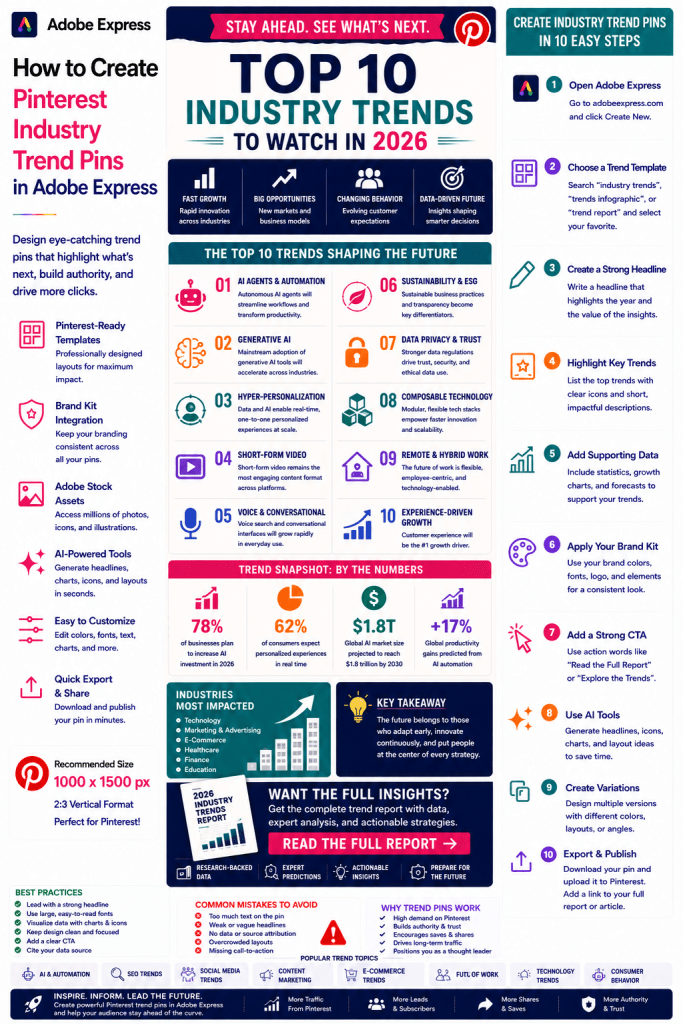
What Are Pinterest Industry Trend Pins?
Industry Trend Pins are Pinterest graphics designed to highlight emerging developments, forecasts, research findings, or market shifts.
Examples include:
AI Trends for 2026
SEO Trends to Watch
Future of Content Marketing
Social Media Trends
E-Commerce Growth Trends
Design Industry Predictions
Future of Work Insights
Emerging Technology Trends
The goal is to help users understand where an industry is heading.
Why Trend Pins Perform Well
Pinterest users actively seek future-focused information.
Benefits include:
High Engagement
People want to stay ahead.
Strong Save Rates
Users often bookmark trend reports.
Increased Authority
Trend analysis builds credibility.
Better Click-Through Rates
Users want deeper insights.
Thought Leadership
Trend content positions you as an expert.
Trend-focused content often generates recurring traffic.
Best Topics for Industry Trend Pins
Popular categories include:
Artificial Intelligence
Marketing
SEO
Social Media
E-Commerce
Productivity
Business Growth
Design
Technology
Consumer Behavior
Focus on industries experiencing rapid change.
Recommended Pinterest Pin Size
Pinterest recommends:
1000 × 1500 Pixels
2:3 Vertical Format
Adobe Express includes Pinterest-ready templates optimized for visibility.
Step 1: Open Adobe Express
Sign in to Adobe Express.
From the dashboard:
Click Create New
or
Search Pinterest Templates
Adobe Express provides infographic and report-style layouts.
Step 2: Choose a Trend-Focused Template
Browse categories such as:
Business
Infographics
Reports
Statistics
Technology
Marketing
Select a design that emphasizes insights and forecasts.
Step 3: Create a Strong Headline
Examples:
10 AI Trends Shaping 2026
SEO Trends Every Marketer Should Watch
The Future of Content Marketing
Social Media Trends to Know
Emerging Technology Trends
The headline should communicate urgency and relevance.
Step 4: Highlight Key Trends
Present the most important developments.
Examples:
AI Agents
Automation
Personalization
Short-Form Video
Search Evolution
Generative AI
Keep the focus on actionable insights.
Step 5: Use Visual Trend Indicators
Examples:
Growth Charts
Trend Arrows
Forecast Timelines
Industry Statistics
Adoption Rates
Market Size Projections
Visuals help communicate momentum.
Step 6: Apply Your Brand Kit
Adobe Express Brand Kits simplify branding.
Apply:
Brand Colors
Brand Fonts
Logos
Design Elements
Consistent branding strengthens authority.
Step 7: Include Supporting Statistics
Examples:
Market Growth Rates
Adoption Percentages
Revenue Projections
Survey Findings
Consumer Research
Data adds credibility to trend analysis.
Step 8: Use Adobe Express AI Features
Adobe Express AI tools can generate:
Headlines
Trend Graphics
Visual Concepts
Report Layouts
Design Variations
AI can accelerate content production.
Step 9: Add a Strong Call-to-Action
Examples:
Read the Full Report
Explore All Trends
Learn More
View the Research
Discover What’s Next
A CTA increases click-through rates.
Step 10: Export and Publish
When complete:
Save Project
Download Pin
Create Variations
Upload to Pinterest
Your Industry Trend Pin is ready.
Creating AI Trend Pins
Examples:
AI Agent Adoption
Multimodal AI
Enterprise AI
AI Automation
Open-Source AI Growth
AI trends remain one of the hottest Pinterest topics.
Creating Marketing Trend Pins
Examples:
Content Marketing Trends
Email Marketing Forecasts
Influencer Marketing Growth
Search Marketing Changes
Marketing professionals actively seek trend analysis.
Creating SEO Trend Pins
Examples:
Search Engine Changes
AI Search Impact
Ranking Factor Trends
Content Optimization Strategies
SEO trend content generates long-term interest.
Creating Social Media Trend Pins
Examples:
LinkedIn Growth Trends
Pinterest User Behavior
Instagram Trends
Creator Economy Insights
Social media trends are highly shareable.
Creating Business Trend Pins
Examples:
Future of Work
Remote Work Adoption
Productivity Trends
Digital Transformation
Business audiences value forward-looking content.
Best Practices for Trend Pins
Focus on Emerging Opportunities
Help users prepare for change.
Use Strong Headlines
Communicate relevance immediately.
Support Claims With Data
Build trust.
Keep Visuals Simple
Improve readability.
Include a CTA
Drive traffic to deeper content.
These practices improve performance.
Common Trend Pin Mistakes
Making Unsupported Predictions
Reduces credibility.
Too Many Trends
Creates confusion.
Weak Headlines
Reduce engagement.
No Data Support
Makes content feel speculative.
Missing CTA
Misses traffic opportunities.
Avoiding these mistakes improves results.
Example Workflow
Imagine promoting a report.
Headline
10 AI Trends Shaping 2026
Featured Trends
- AI Agents
- Enterprise Automation
- Multimodal Systems
- AI Search
Supporting Statistic
78% of Businesses Use AI
CTA
Read the Full Report
This structure performs exceptionally well on Pinterest.
Why Adobe Express Is Ideal for Trend Pins
Adobe Express combines:
Professional Templates
Brand Management
AI Design Tools
Infographic Layouts
Easy Editing
Fast Export
Pinterest-Friendly Formats
This makes it one of the easiest tools for creating trend-focused Pinterest content.
Conclusion
Pinterest Industry Trend Pins are highly effective for building authority, sharing insights, generating traffic, and positioning yourself as a thought leader.
By combining templates, Brand Kits, AI-powered tools, and streamlined workflows, Adobe Express enables creators and businesses to create professional trend-focused pins quickly and consistently.
Whether you’re covering AI, marketing, SEO, technology, business, or design, Adobe Express provides everything needed to create high-performing Industry Trend Pins.
Continue Learning Adobe Express
To learn more about Pinterest marketing, explore these guides:
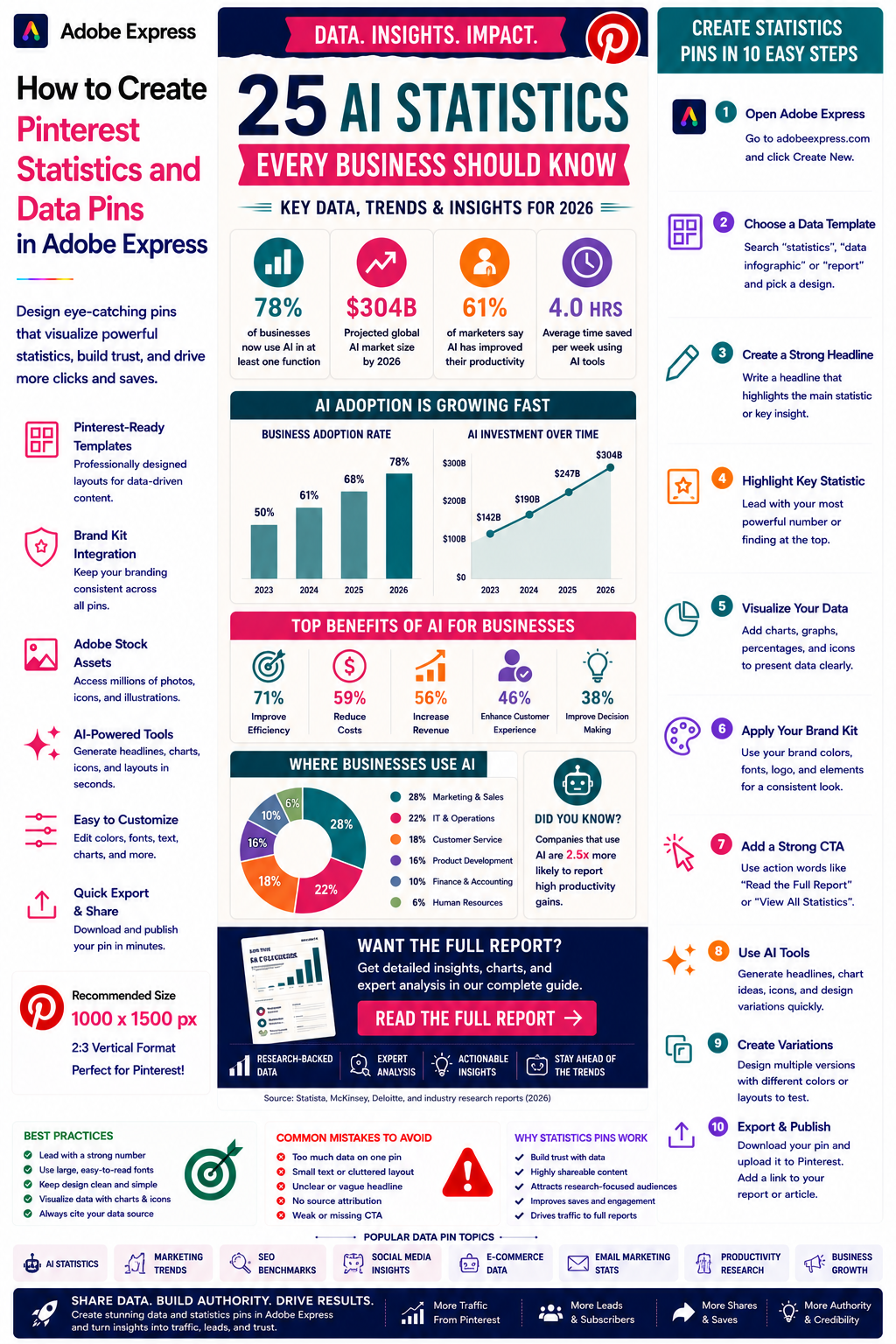
- How to Create Pinterest Statistics and Data Pins in Adobe Express
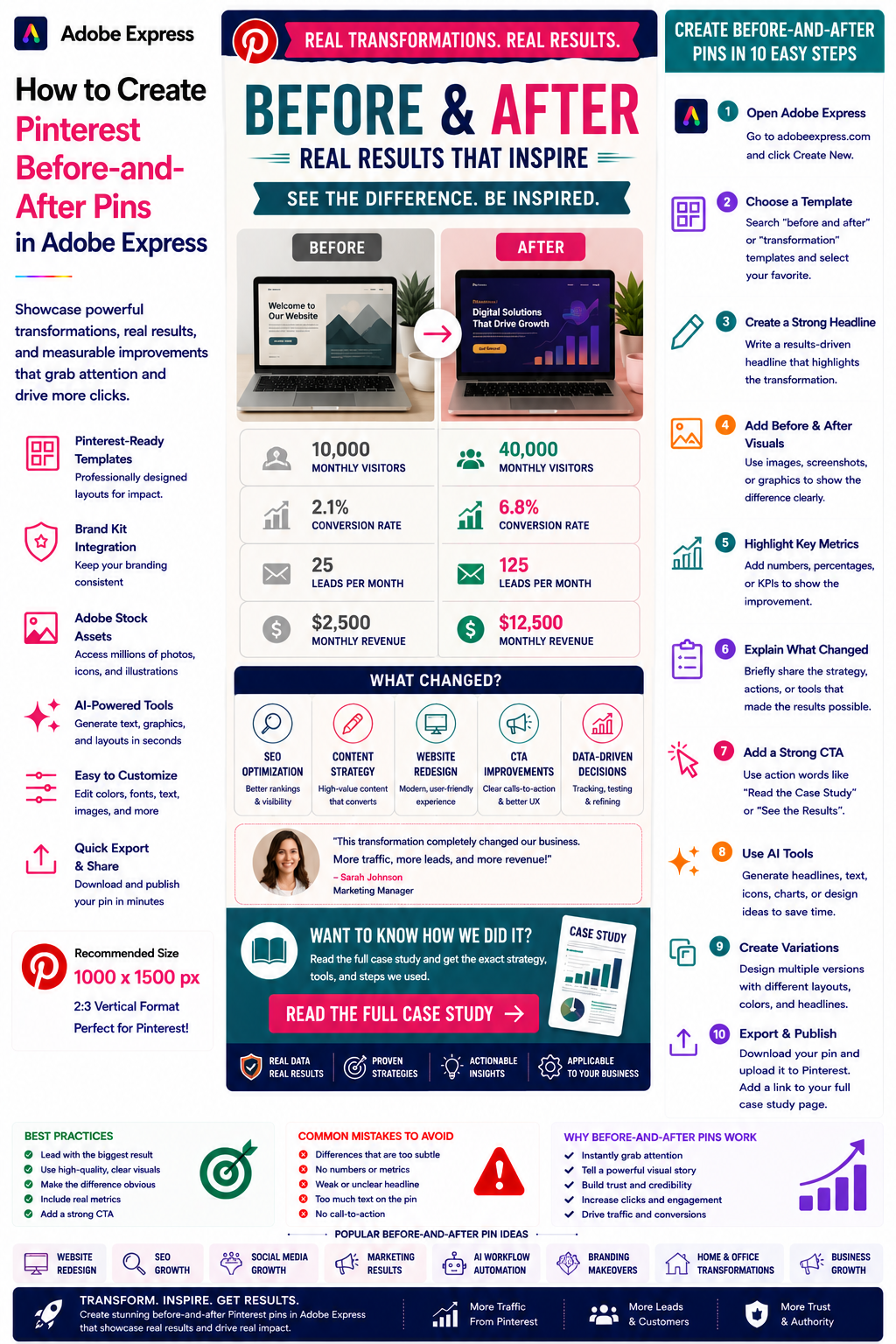
- How to Create Pinterest Before-and-After Pins in Adobe Express
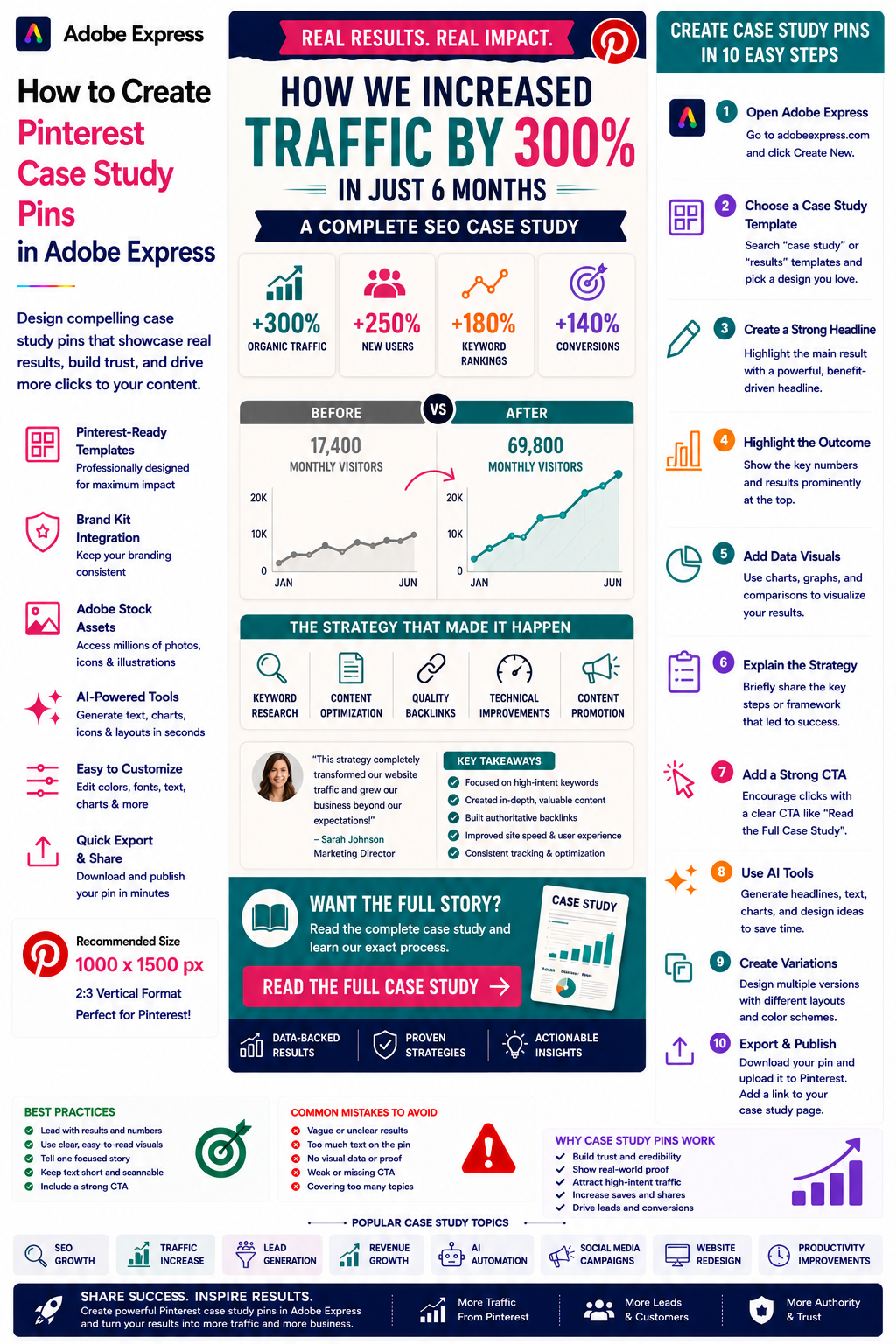
- How to Create Pinterest Case Study Pins in Adobe Express
For advanced marketing workflows, also read: