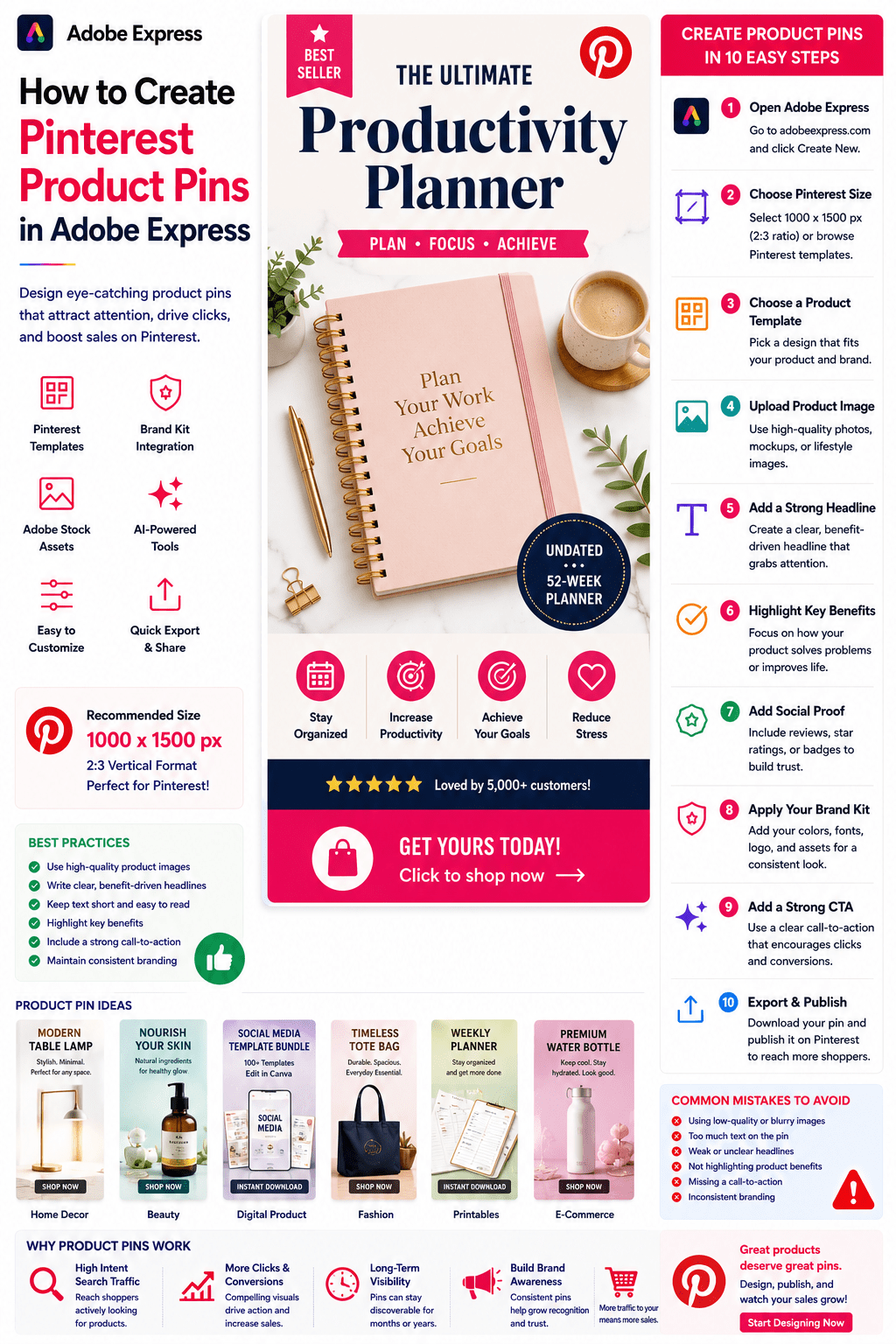
Pinterest is one of the most powerful platforms for product discovery.
Unlike many social media platforms that focus primarily on entertainment, Pinterest users actively search for products, ideas, recommendations, and purchasing inspiration.
This makes Pinterest Product Pins an essential marketing tool for:
- E-commerce stores
- Etsy sellers
- Amazon affiliates
- Shopify businesses
- Print-on-demand sellers
- Digital product creators
- Small businesses
- Brand owners
Adobe Express makes it easy to create professional Product Pins that attract attention and drive clicks.
With Adobe Express, you can use:
- Pinterest product templates
- Brand Kits
- AI-powered design tools
- Adobe Stock assets
- Product photography enhancements
- Fast export workflows
In this guide, you’ll learn how to create Pinterest Product Pins using Adobe Express.
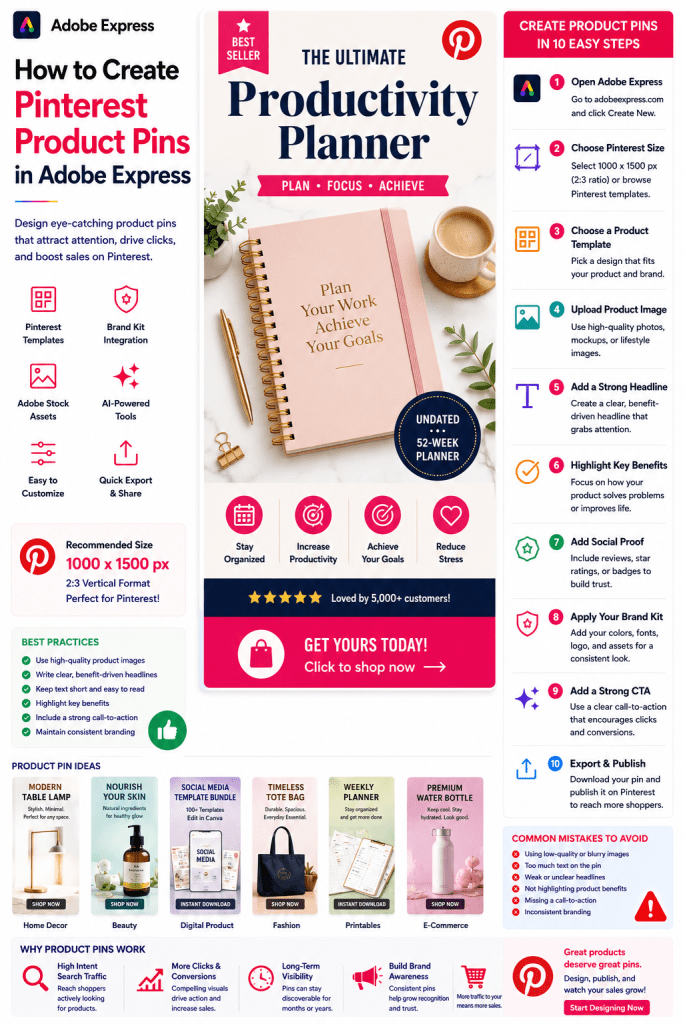
What Are Pinterest Product Pins?
Product Pins are Pinterest posts specifically designed to promote products.
They typically include:
Product Image
Product Name
Key Benefits
Branding
Call-to-Action
Pricing (optional)
The goal is to encourage users to click and learn more about the product.
Why Product Pins Matter
Pinterest users often have buying intent.
Benefits include:
Increased Product Visibility
Reach shoppers actively searching.
Higher Click-Through Rates
Visual content drives engagement.
Long-Term Traffic
Pins remain discoverable for months or years.
Improved Brand Awareness
Build recognition over time.
Increased Sales Opportunities
Drive traffic to product pages.
Pinterest can become a significant source of qualified traffic.
Best Products for Pinterest Marketing
Popular categories include:
Home Decor
Fashion
Beauty Products
Digital Downloads
Templates
Printables
Productivity Tools
Educational Products
Handmade Goods
SaaS Products
Pinterest performs particularly well for visually appealing products.
Recommended Product Pin Size
Pinterest recommends:
1000 × 1500 Pixels
2:3 Vertical Format
This format performs best in Pinterest feeds.
Adobe Express includes Pinterest-ready templates.
Step 1: Open Adobe Express
Sign in to Adobe Express.
From the dashboard:
Click Create New
or
Search Pinterest Product Templates
Adobe Express provides many e-commerce layouts.
Step 2: Choose a Product Pin Template
Browse categories such as:
Retail
E-Commerce
Product Promotion
Business
Marketing
Templates accelerate content creation.
Step 3: Upload Product Photography
High-quality product images are critical.
Use:
Product Photos
Lifestyle Images
Mockups
Screenshots
Product Demonstrations
Professional photography improves conversions.
Step 4: Create a Strong Product Headline
Examples:
Ultimate Productivity Planner
Modern Website Template
AI Prompt Bundle
Luxury Handmade Candle
Social Media Toolkit
Your headline should communicate value immediately.
Step 5: Highlight Key Benefits
Examples:
Save Time
Increase Productivity
Easy to Use
Instant Download
Beginner Friendly
Benefits often perform better than features.
Step 6: Apply Your Brand Kit
Adobe Express Brand Kits simplify consistency.
Apply:
Brand Colors
Brand Fonts
Logos
Design Assets
Brand consistency improves trust.
Step 7: Add Social Proof
Consider including:
Customer Reviews
Star Ratings
Best Seller Labels
Customer Counts
Testimonials
Social proof increases credibility.
Step 8: Use Adobe Express AI Features
Adobe Express AI tools can generate:
Product Headlines
Marketing Copy
Promotional Graphics
Product Descriptions
Design Variations
AI speeds up content production.
Step 9: Add a Strong Call-to-Action
Examples:
Shop Now
Learn More
Download Today
Explore Collection
Get Started
CTAs improve click-through rates.
Step 10: Export and Publish
When complete:
Save Project
Download Product Pin
Create Variations
Upload to Pinterest
Your Product Pin is ready.
Creating E-Commerce Product Pins
Perfect for:
Shopify Stores
WooCommerce Stores
Etsy Shops
Amazon Listings
Focus on visual appeal and benefits.
Creating Digital Product Pins
Examples:
Ebooks
Templates
Prompt Packs
Courses
Printables
Digital products perform particularly well on Pinterest.
Creating SaaS Product Pins
Include:
Product Screenshots
Key Features
Benefits
Results
Free Trial CTA
Visual demonstrations increase interest.
Creating Affiliate Product Pins
Examples:
Product Reviews
Buying Guides
Product Comparisons
Recommended Tools
Resource Lists
Affiliate marketers often create multiple variations.
Creating Seasonal Product Pins
Examples:
Holiday Promotions
Back-to-School Products
Summer Collections
Gift Guides
Seasonal content often experiences spikes in engagement.
Best Practices for Product Pins
Use High-Quality Images
Professional visuals matter.
Focus on Benefits
Show outcomes, not just features.
Keep Text Minimal
Avoid clutter.
Maintain Consistent Branding
Build recognition.
Include a Clear CTA
Encourage action.
These practices improve performance.
Common Product Pin Mistakes
Poor Photography
Reduces trust.
Weak Headlines
Fail to attract attention.
Too Much Text
Makes pins difficult to scan.
Missing Branding
Lowers recognition.
No CTA
Misses conversion opportunities.
Avoiding these mistakes improves results.
Example Workflow
Imagine promoting a digital product.
Product
AI Prompt Bundle
Headline
500 AI Prompts for Business
Benefits
- Save Time
- Improve Productivity
- Instant Download
CTA
Download Today
This format works exceptionally well on Pinterest.
Why Adobe Express Is Ideal for Product Pins
Adobe Express combines:
Professional Templates
Brand Management
AI Design Tools
Product Photography Support
Easy Editing
Fast Export
This makes it one of the easiest platforms for Pinterest product marketing.
Conclusion
Pinterest Product Pins help businesses showcase products, drive traffic, increase brand awareness, and generate sales.
By combining templates, Brand Kits, AI-powered tools, and streamlined workflows, Adobe Express enables creators and businesses to create professional Product Pins quickly and consistently.
Whether you’re selling physical products, digital products, services, or affiliate offers, Adobe Express provides everything needed to create effective Pinterest Product Pins.
Continue Learning Adobe Express
To learn more about Pinterest marketing, explore these guides:
- How to Create Pinterest Pins in Adobe Express
- How to Create Pinterest Idea Pins in Adobe Express
- How to Create Pinterest Infographics in Adobe Express
For advanced marketing workflows, also read:
- Adobe Express Content Calendars: The Complete Guide
- Adobe Express Marketing Automation: The Complete Guide
- Adobe Express for Small Business: The Complete Guide








