-
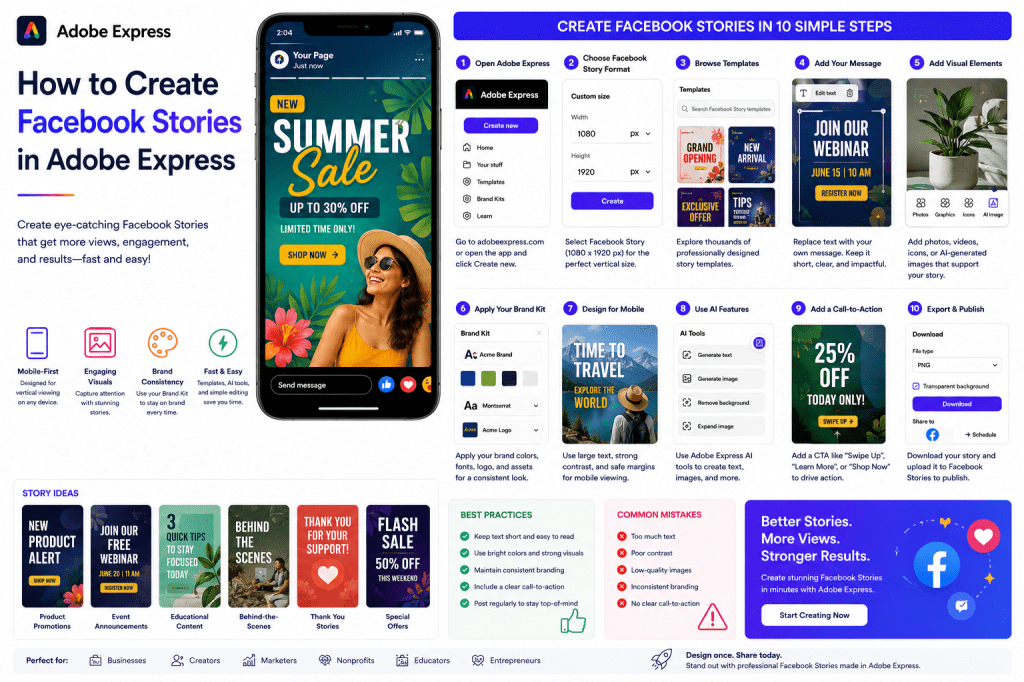 Continue reading →: How to Create Facebook Stories in Adobe Express
Facebook Stories are one of the fastest ways to connect with your audience through short, engaging, mobile-first content. Appearing at the top of the Facebook app, Stories allow businesses, creators, nonprofits, educators, and marketers to share updates that feel timely, personal, and highly visible. Because Stories disappear after 24 hours,…
-
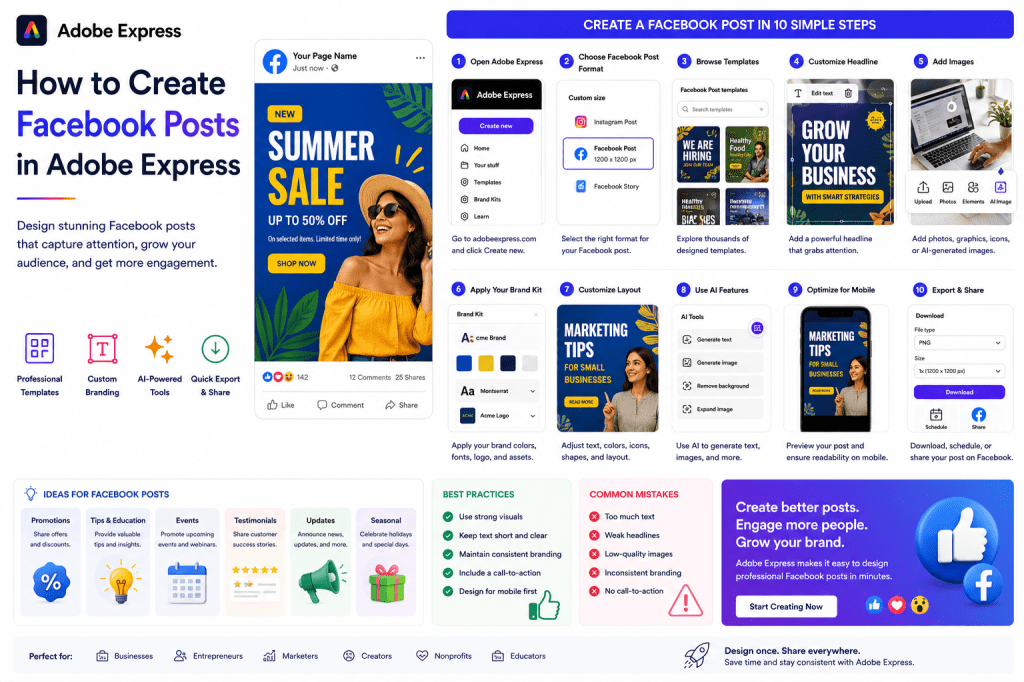 Continue reading →: How to Create Facebook Posts in Adobe Express
Facebook remains one of the largest social media platforms in the world, making it an essential channel for businesses, creators, nonprofits, educators, and marketers. Whether you’re promoting products, sharing updates, announcing events, or engaging with your audience, professional-looking Facebook posts can significantly improve reach and engagement. Adobe Express simplifies Facebook…
-
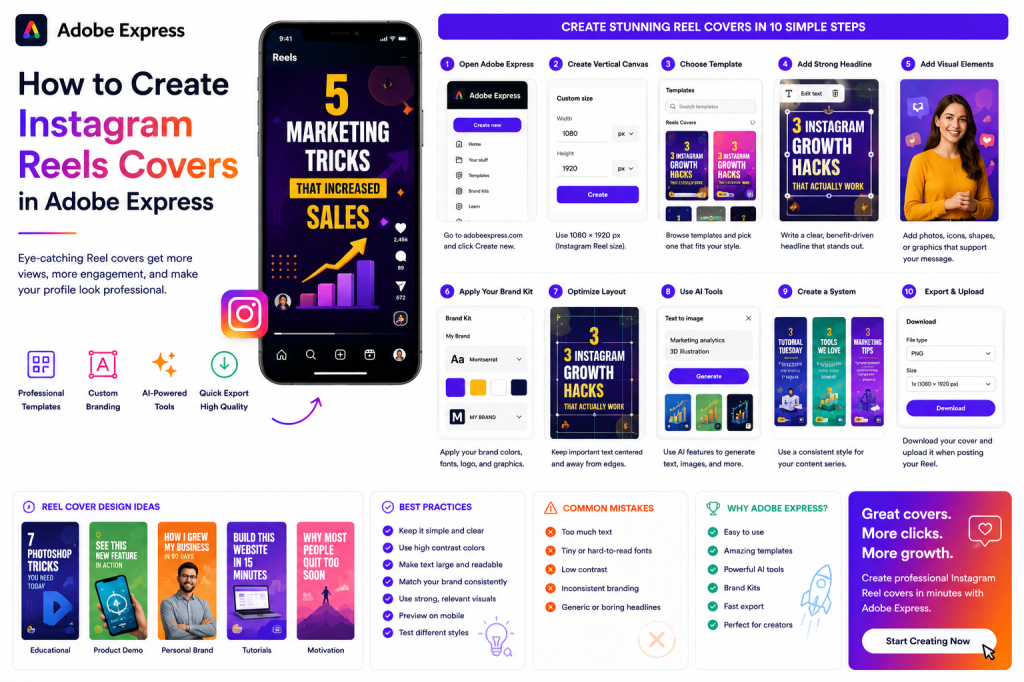 Continue reading →: How to Create Instagram Reels Covers in Adobe Express
Introduction Instagram Reels have become one of the most effective ways to reach new audiences on Instagram. However, many creators focus entirely on the video itself and overlook one important element: the Reel cover. A strong Reel cover can dramatically increase clicks, profile visits, and overall engagement because it acts…
-
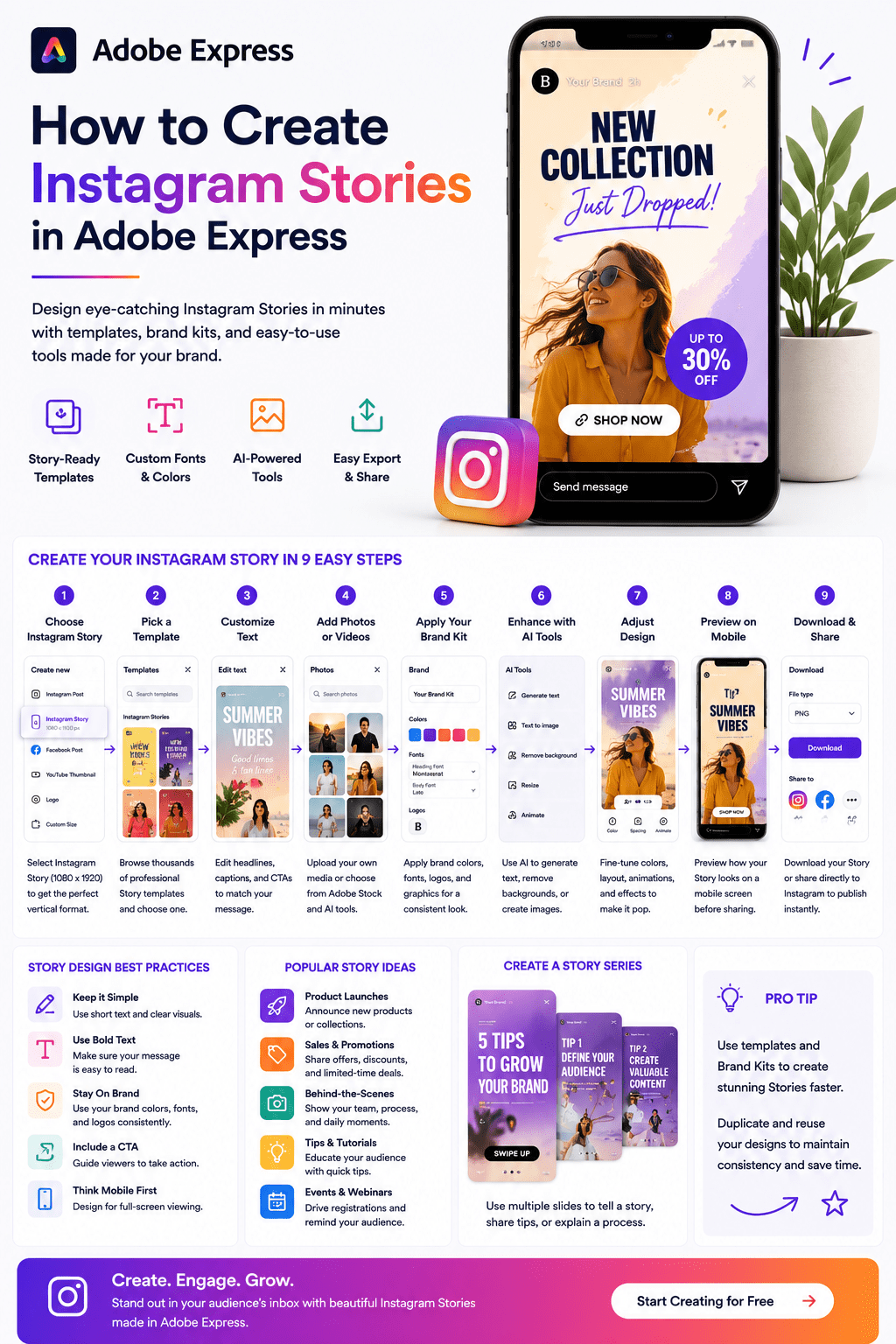 Continue reading →: How to Create Instagram Stories in Adobe Express
Introduction Instagram Stories have become one of the most powerful ways to engage audiences on social media. With over a billion Instagram users and millions of Stories viewed every day, Stories provide a fast, interactive, and highly visible way to connect with followers. Businesses, creators, nonprofits, educators, and marketers use…
-
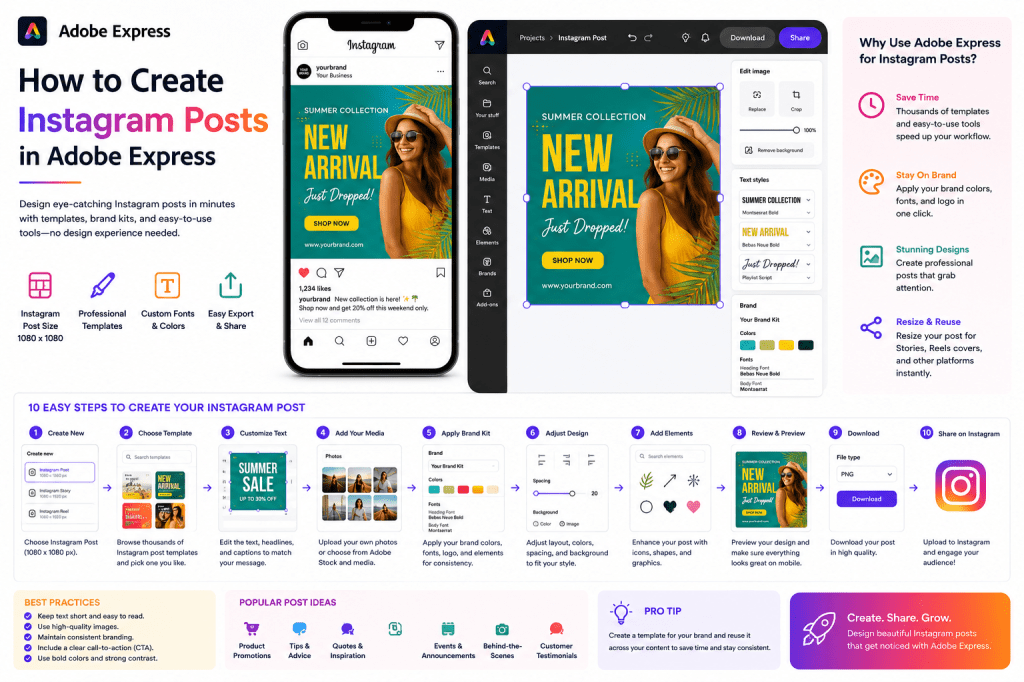 Continue reading →: How to Create Instagram Posts in Adobe Express
Instagram remains one of the most important platforms for businesses, creators, nonprofits, educators, and personal brands. However, consistently creating professional-looking Instagram content can be challenging without the right tools. Adobe Express simplifies the process by providing: Ready-made Instagram templates AI-powered design tools Brand Kit integration Stock photos and graphics One-click…
-
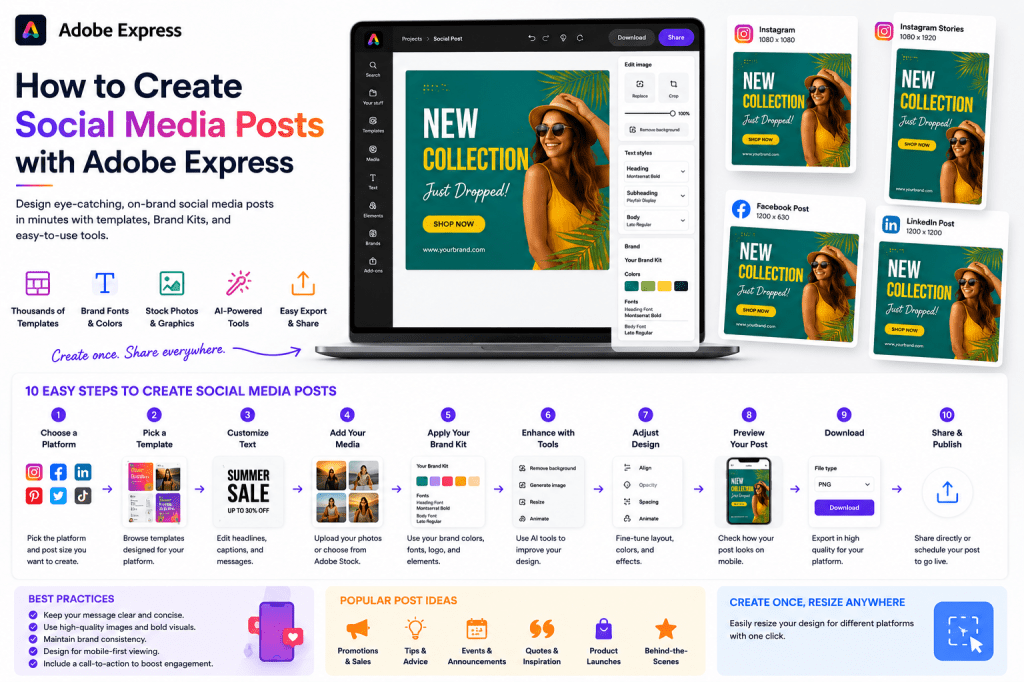 Continue reading →: How to Create Social Media Posts with Adobe Express
Introduction Social media is one of the most important marketing channels for businesses, creators, nonprofits, educators, and entrepreneurs. The challenge is creating professional content consistently without spending hours designing every post. Adobe Express was built to solve exactly that problem. With thousands of templates, AI-powered tools, Brand Kits, and easy-to-use…
-
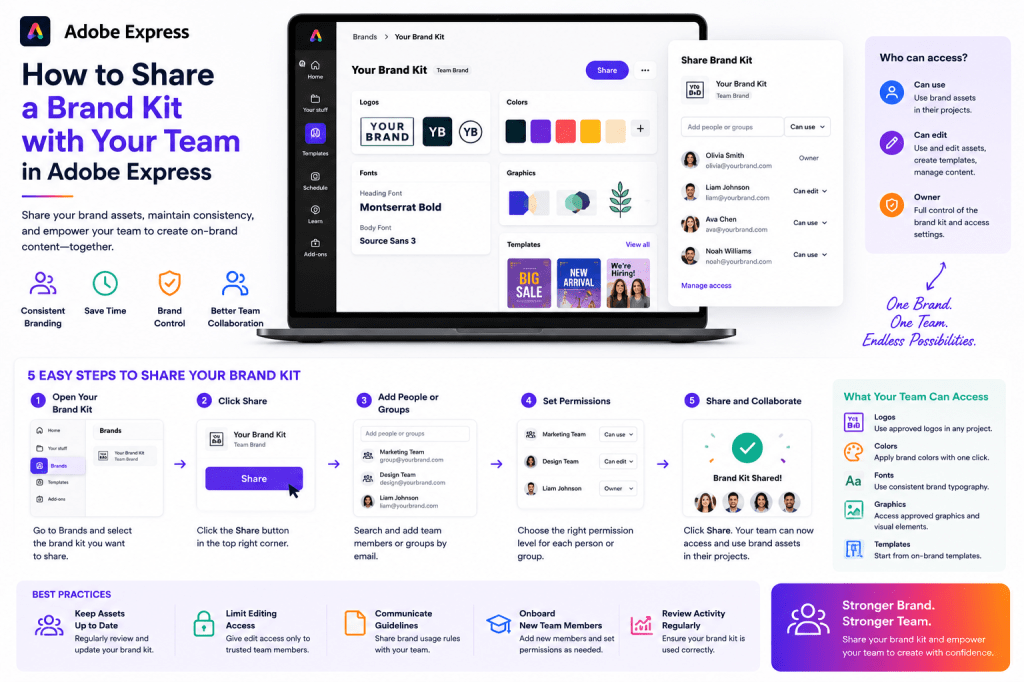 Continue reading →: How to Share a Brand Kit with Your Team in Adobe Express
A Brand Kit becomes far more valuable when it is shared across your organization. Instead of every employee searching for logos, choosing fonts, or guessing brand colors, Adobe Express allows teams to work from a centralized set of approved brand assets. Whether you’re managing: A marketing team A sales department…
-
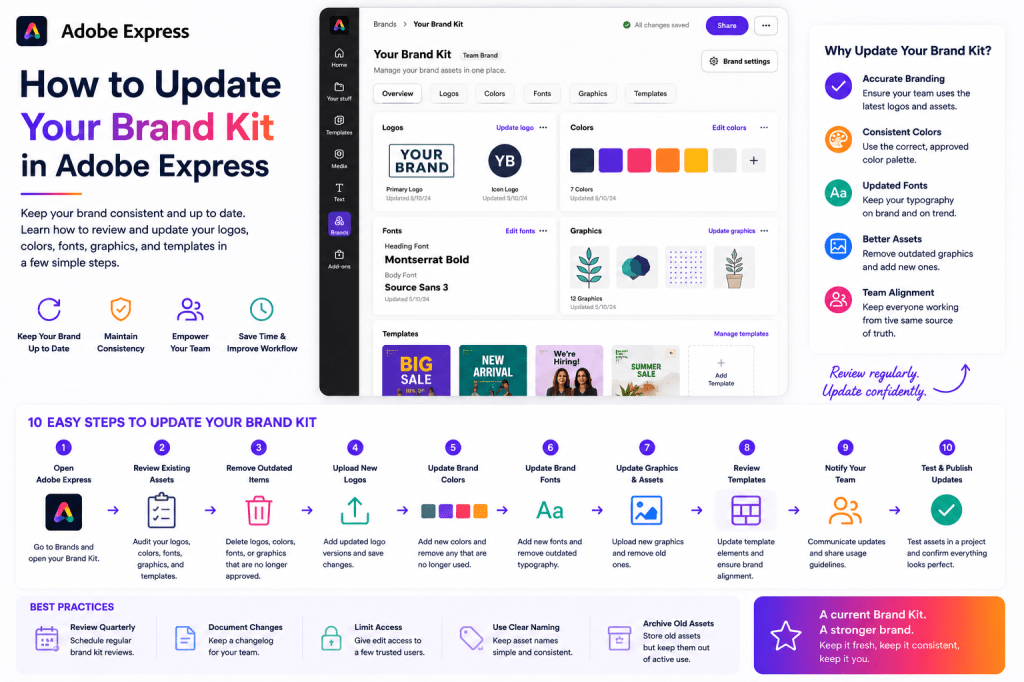 Continue reading →: How to Update Your Brand Kit in Adobe Express
Your brand is not static. Over time, organizations update logos, colors, typography, messaging, and visual assets to stay current and reflect business growth. Because of this, your Adobe Express Brand Kit should be reviewed and updated regularly. Keeping your Brand Kit current ensures that every new project uses the latest…
-
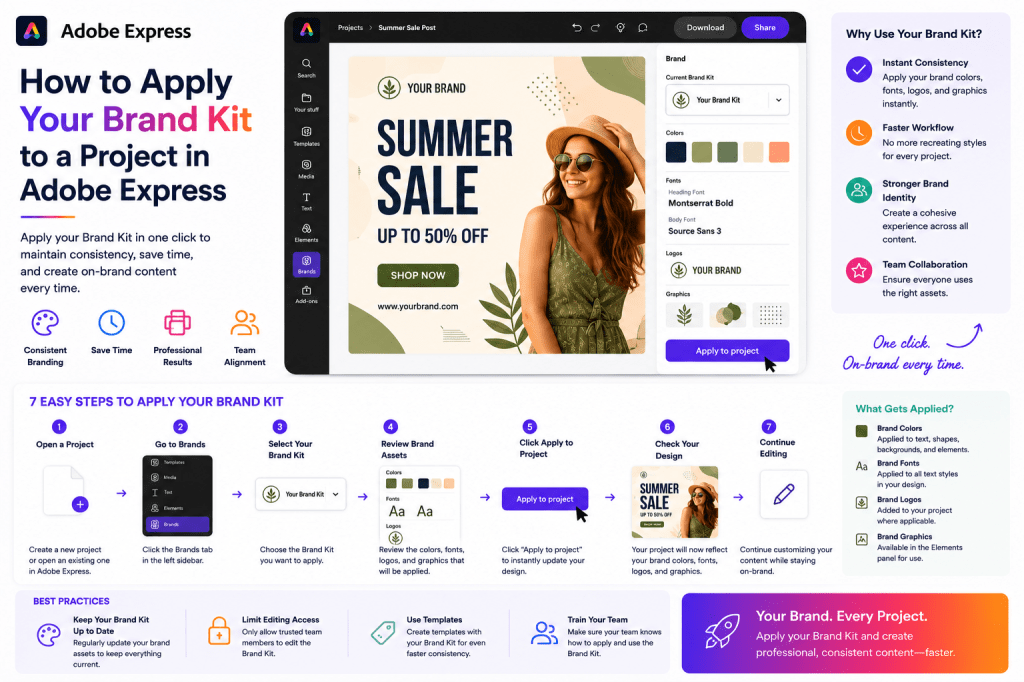 Continue reading →: How to Apply Your Brand Kit to a Project in Adobe Express
Creating a Brand Kit is only the first step. The real productivity benefits come when you apply that Brand Kit to your projects. Instead of manually selecting logos, colors, and fonts every time you create content, Adobe Express allows you to instantly apply your branding across designs. Whether you’re creating:…
-
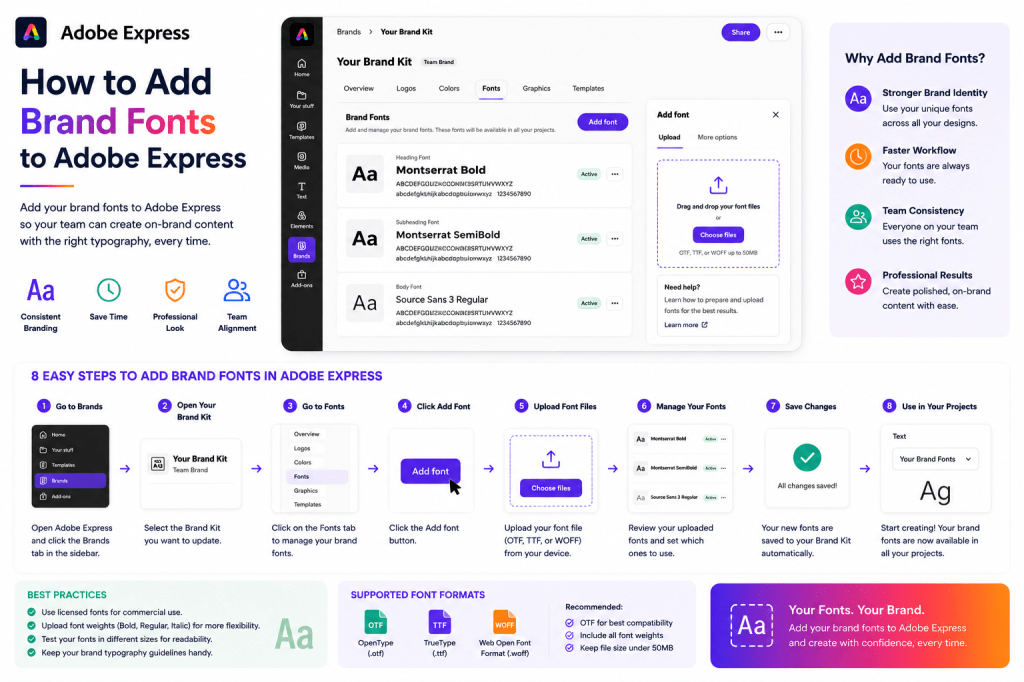 Continue reading →: How to Add Brand Fonts to Adobe Express
Introduction Fonts play a major role in how people perceive your brand. The typography you use communicates personality, professionalism, and consistency across every piece of content you create. Whether you’re designing: Social media graphics Marketing campaigns Presentations Videos Reports Internal communications Educational materials using the correct fonts helps reinforce your…
Hello,
I’m Ben

Welcome to ArcobatExpressPro, your resource for mastering Adobe Express and creating professional content faster. Explore practical tutorials, productivity tips, AI-powered workflows, and creative strategies designed for marketers, educators, businesses, and content creators.
Let’s connect
Join the fun!
Stay updated with our latest tutorials and ideas by joining our newsletter.