-
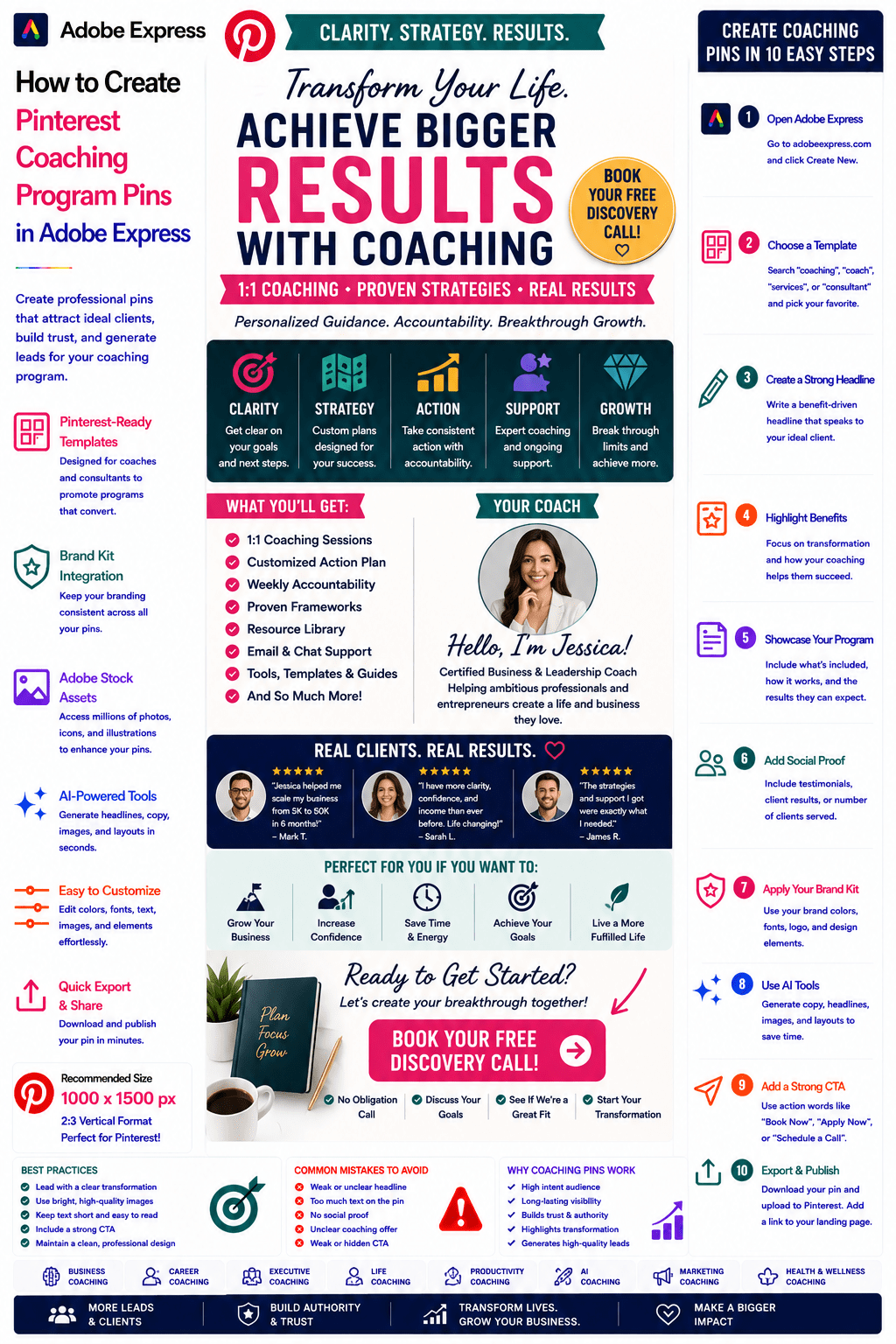
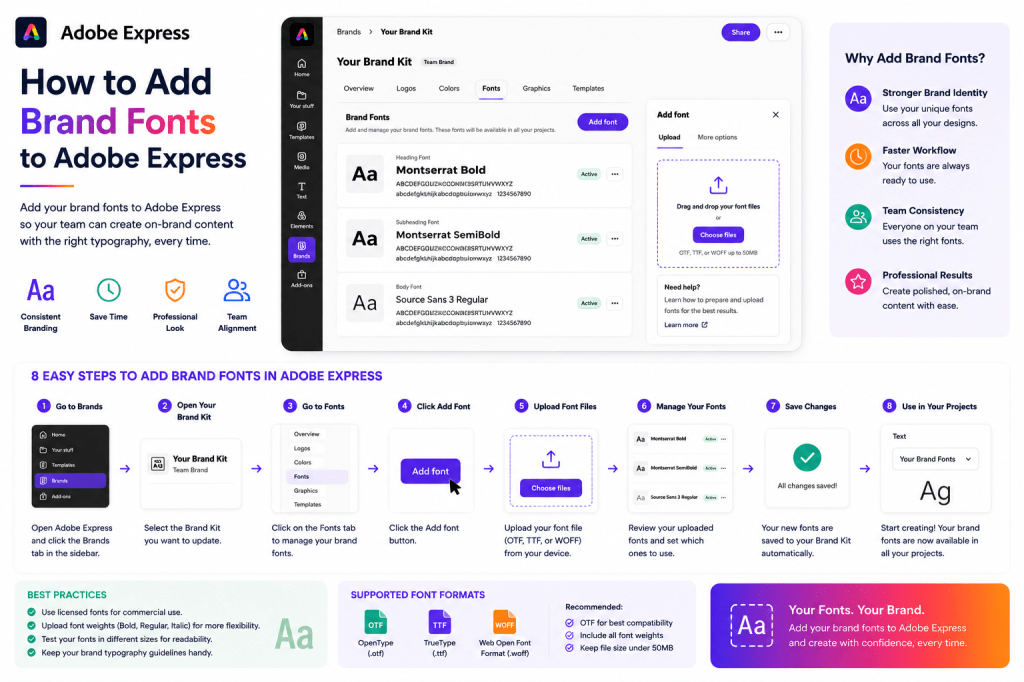 Continue reading →: How to Add Brand Colors to Adobe Express
Colors are one of the most recognizable elements of a brand. Think about some of the world’s most recognizable companies. Long before you read the logo or company name, you often recognize the brand simply by its colors. Adobe Express allows you to store your official brand colors inside a…
-
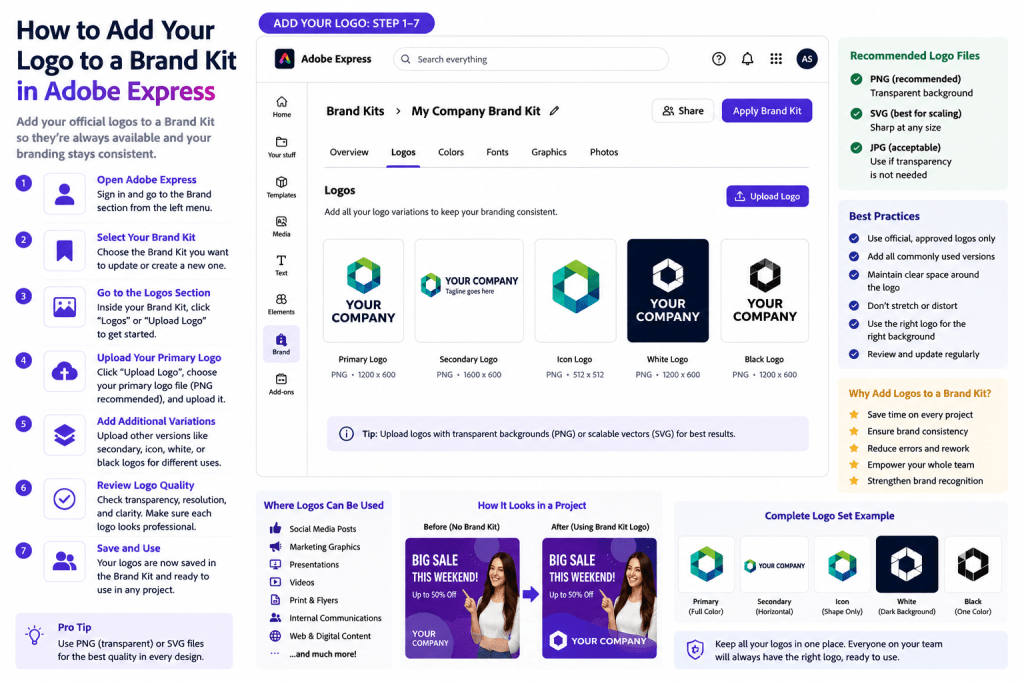 Continue reading →: How to Add Your Logo to a Brand Kit in Adobe Express
Introduction Your logo is the most recognizable part of your brand identity. Whether you’re creating social media graphics, marketing campaigns, presentations, videos, or internal communications, your logo helps audiences instantly identify your organization. Adobe Express makes it easy to store logos inside a Brand Kit so they can be applied…
-
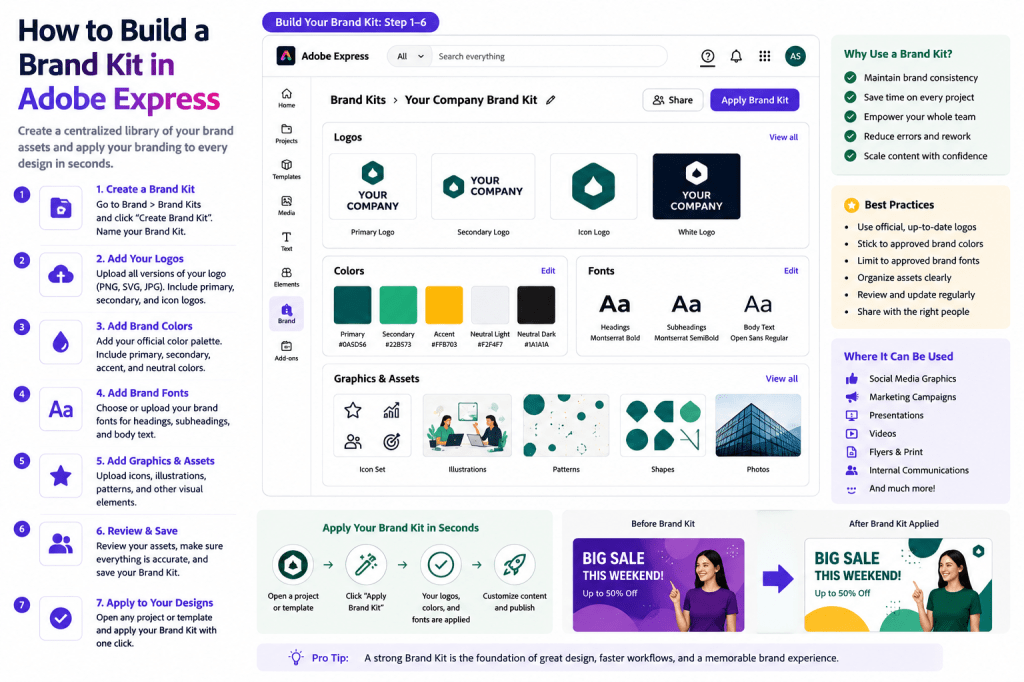 Continue reading →: How to Build a Brand Kit in Adobe Express
One of the most powerful features in Adobe Express is the Brand Kit. A Brand Kit allows you to store your company’s visual identity in one central location so it can be applied consistently across every project. Instead of manually selecting colors, uploading logos, and choosing fonts for every design,…
-
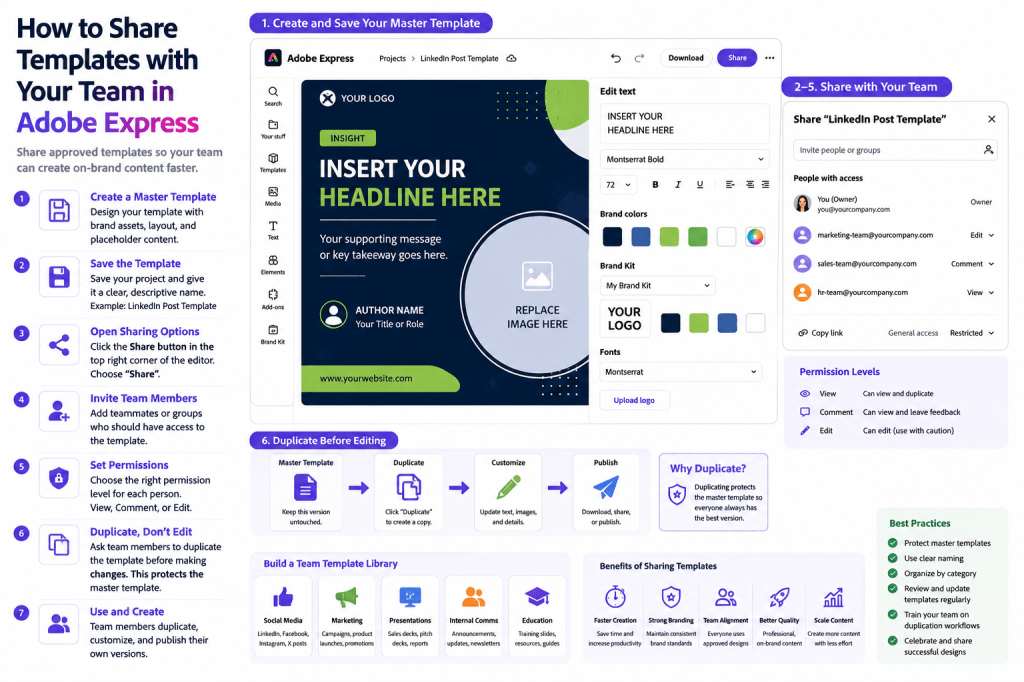 Continue reading →: How to Share Templates with Your Team in Adobe Express
Templates become even more powerful when they are shared across a team. Instead of every employee creating content from scratch, organizations can provide approved templates that ensure consistency, improve productivity, and reduce design errors. Whether you’re working in: Marketing Sales Human Resources Customer Success Education Communications Operations Shared templates help…
-
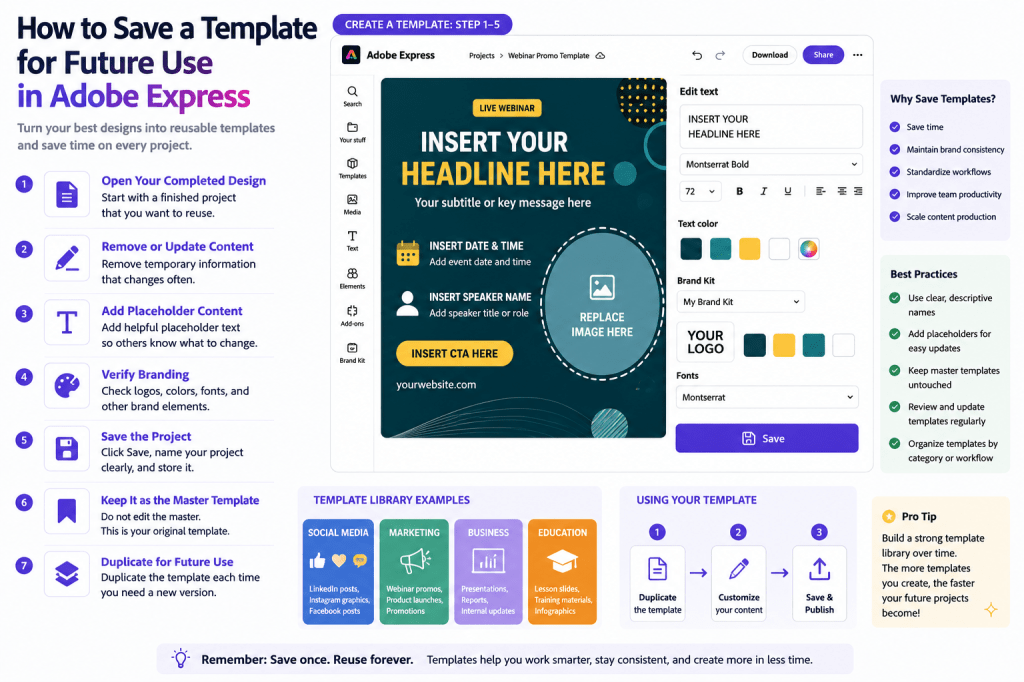 Continue reading →: How to Save a Template for Future Use in Adobe Express
One of the biggest productivity advantages in Adobe Express is the ability to reuse your best designs. Instead of recreating layouts repeatedly, you can save successful designs as templates and use them again whenever needed. This approach helps: Save time Maintain brand consistency Standardize workflows Improve collaboration Scale content production…
-
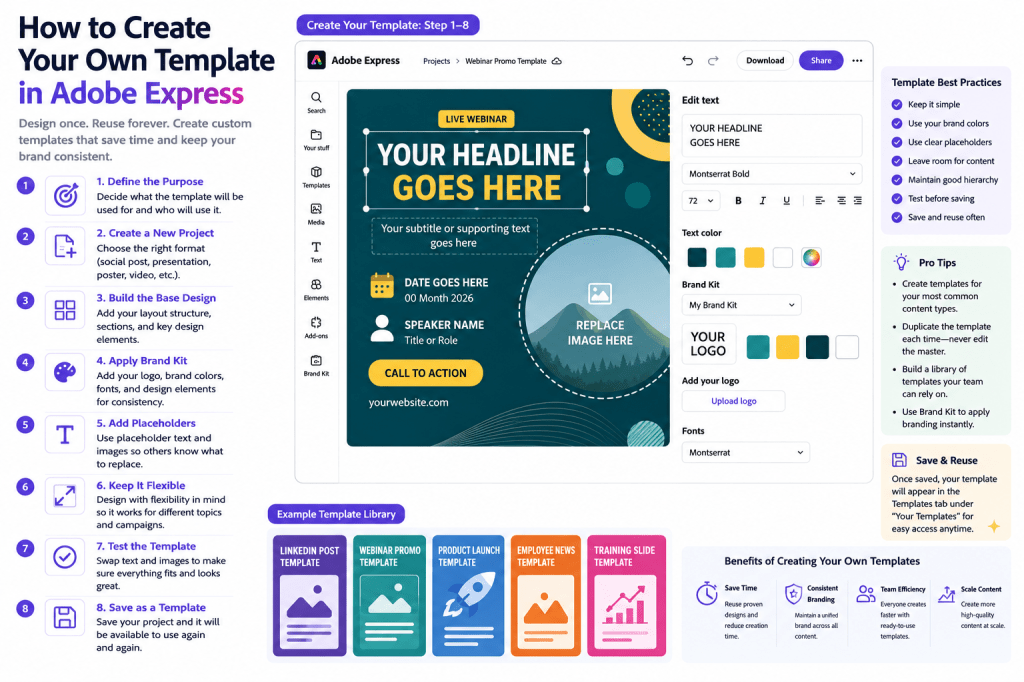 Continue reading →: How to Create Your Own Template in Adobe Express
Templates are one of the biggest productivity boosters in Adobe Express. While Adobe Express provides thousands of ready-made templates, there comes a point when you may want to create your own. Custom templates help you: Save time Maintain brand consistency Standardize content creation Support team collaboration Scale marketing efforts Instead…
-
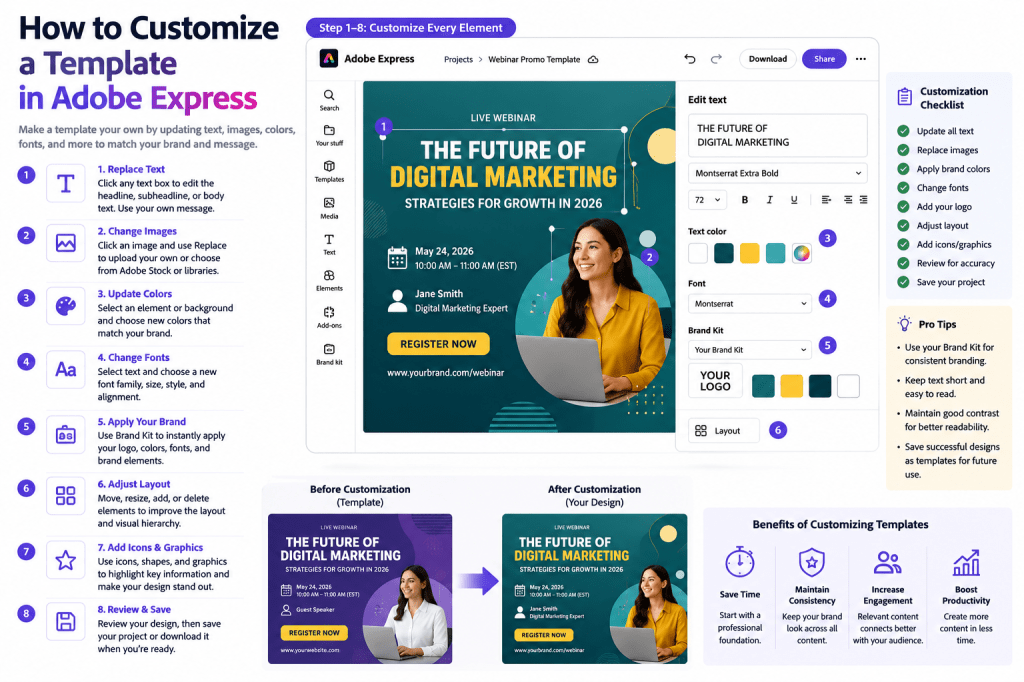 Continue reading →: How to Customize a Template in Adobe Express
Introduction Templates are one of the fastest ways to create professional content in Adobe Express. However, the real power of templates comes from customization. Instead of using a template exactly as it appears, you can modify it to match your: Brand Audience Campaign Message Goals Whether you’re creating social media…
-
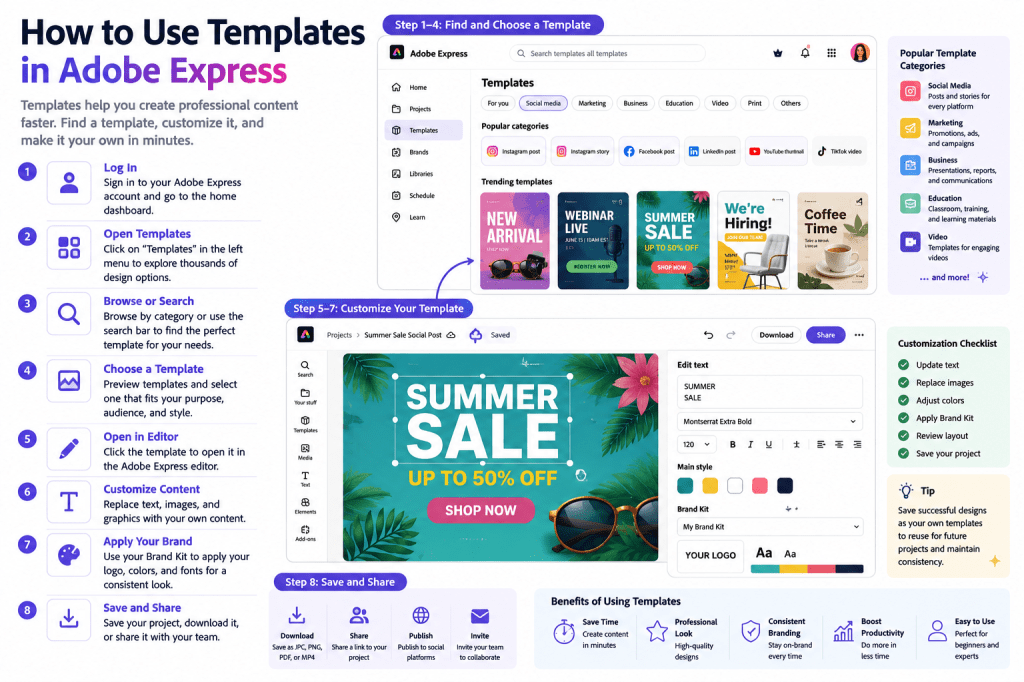 Continue reading →: How to Use Templates in Adobe Express
Templates are one of the most powerful features in Adobe Express. Instead of starting with a blank canvas every time, templates provide professionally designed layouts that can be customized in minutes. Whether you’re creating: Social media posts Marketing graphics Presentations Flyers Posters Videos Educational materials Business communications templates help you…
-
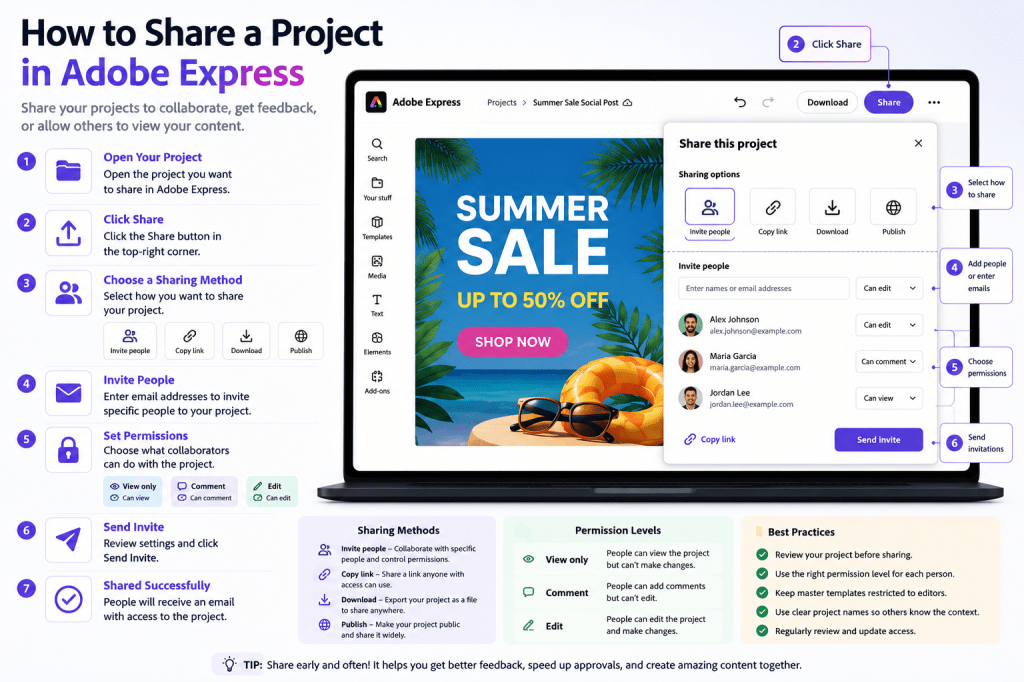 Continue reading →: How to Share a Project in Adobe Express
Introduction Creating great content is only part of the workflow. At some point, you’ll likely need to share your Adobe Express project with: Team members Managers Clients Stakeholders Students Colleagues Customers Adobe Express makes project sharing simple and flexible. Whether you want someone to review a design, collaborate on a…
-
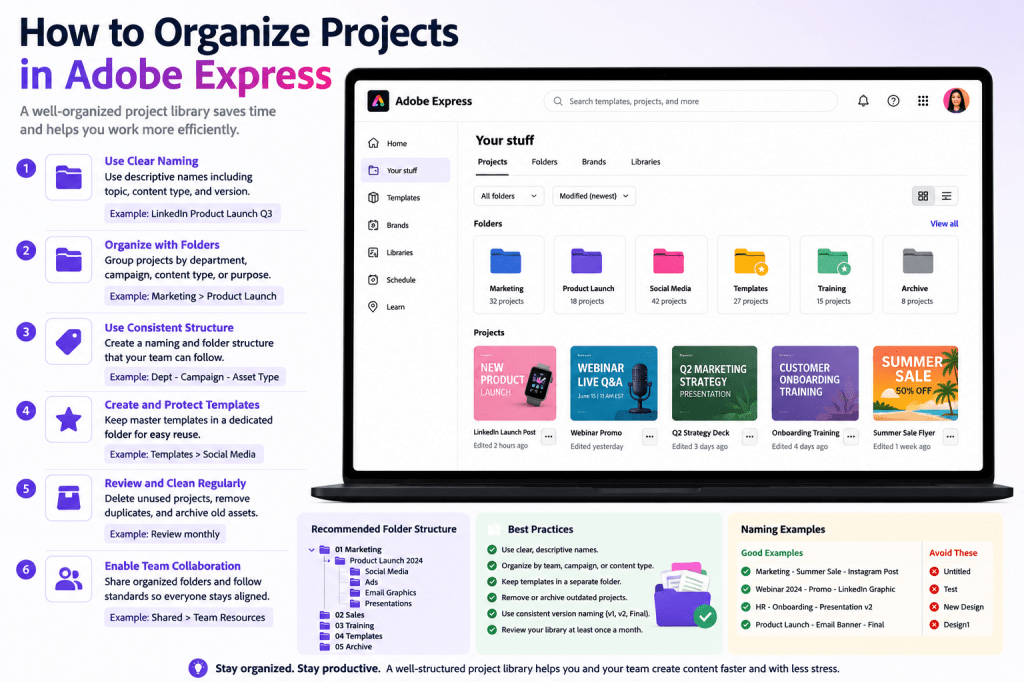 Continue reading →: How to Organize Projects in Adobe Express
As you create more content in Adobe Express, your project library can quickly become crowded. A few projects are easy to manage. A few hundred projects are not. Without a proper organization system, you may spend more time searching for content than creating it. Whether you’re managing: Social media campaigns…
Hello,
I’m Ben

Welcome to ArcobatExpressPro, your resource for mastering Adobe Express and creating professional content faster. Explore practical tutorials, productivity tips, AI-powered workflows, and creative strategies designed for marketers, educators, businesses, and content creators.
Let’s connect
Join the fun!
Stay updated with our latest tutorials and ideas by joining our newsletter.