-
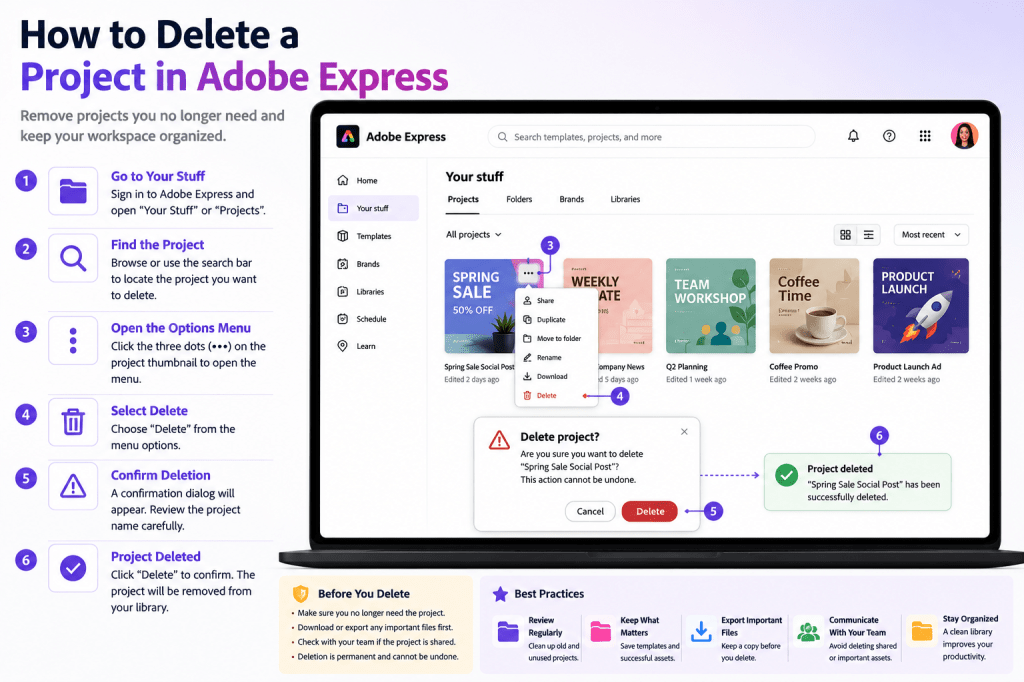 Continue reading →: How to Delete a Project in Adobe Express
As your Adobe Express content library grows, you’ll eventually need to remove outdated, unused, or duplicate projects. Deleting projects is an important part of maintaining an organized workspace. Whether you’re managing: Social media graphics Marketing campaigns Presentations Videos Flyers Educational content Team resources keeping your project library clean can improve…
-
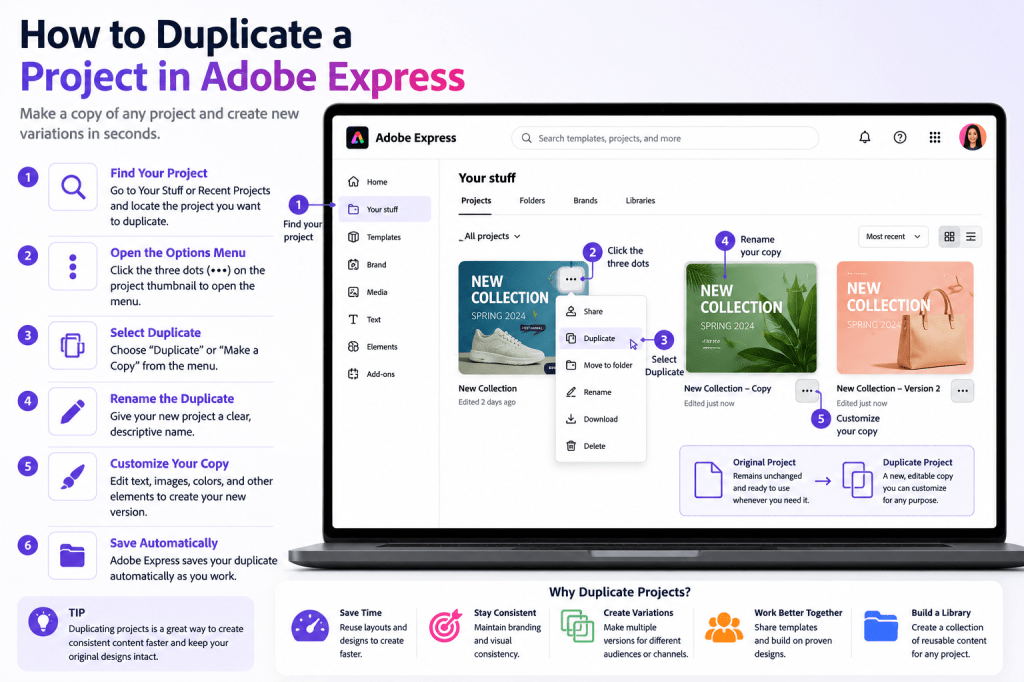 Continue reading →: How to Duplicate a Project in Adobe Express
One of the biggest productivity advantages in Adobe Express is the ability to duplicate existing projects. Instead of creating every design from scratch, you can make a copy of an existing project and use it as the starting point for a new version. This approach is especially useful when creating:…
-
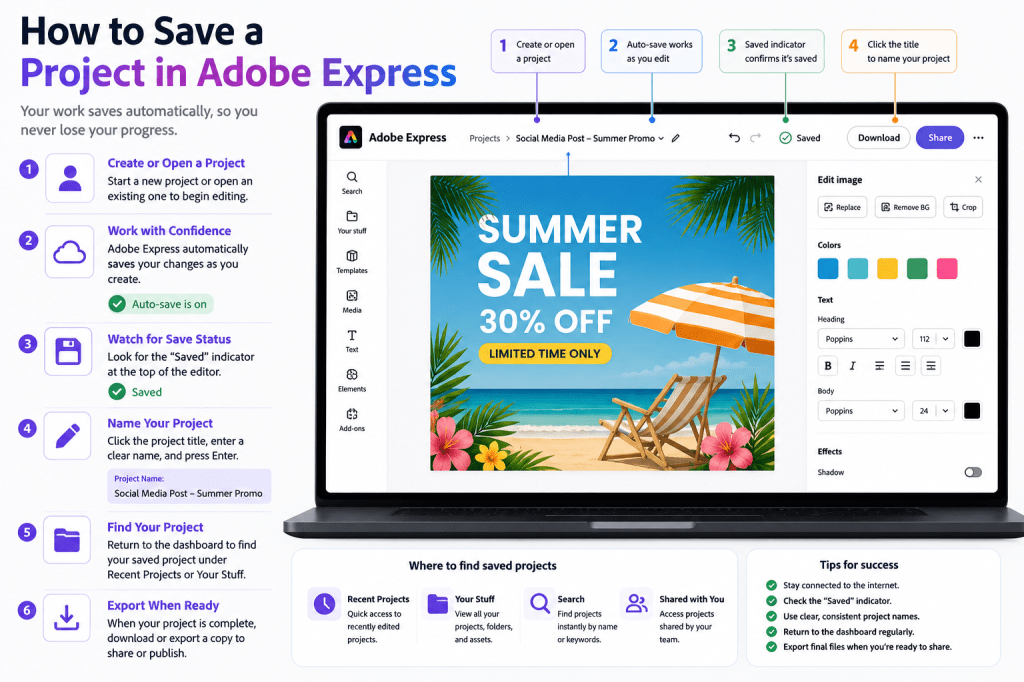 Continue reading →: How to Save a Project in Adobe Express
Introduction Creating content in Adobe Express is only part of the process. Once you’ve built a social media graphic, presentation, video, flyer, or marketing asset, you’ll want to make sure your work is saved properly. Fortunately, Adobe Express is designed to make saving projects simple. In many cases, Adobe Express…
-
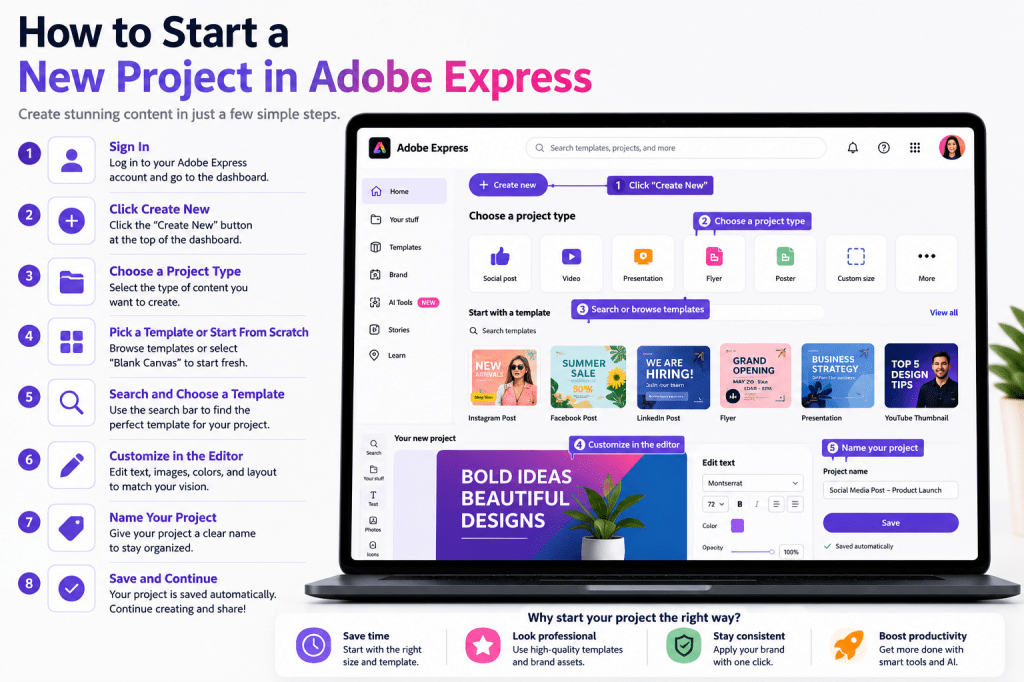 Continue reading →: How to Start a New Project in Adobe Express
Every design, social media graphic, presentation, flyer, video, or marketing asset in Adobe Express begins with a project. Understanding how to start a new project correctly is one of the first skills every Adobe Express user should learn. Whether you’re creating content for: Social media Marketing campaigns Business communications Education…
-
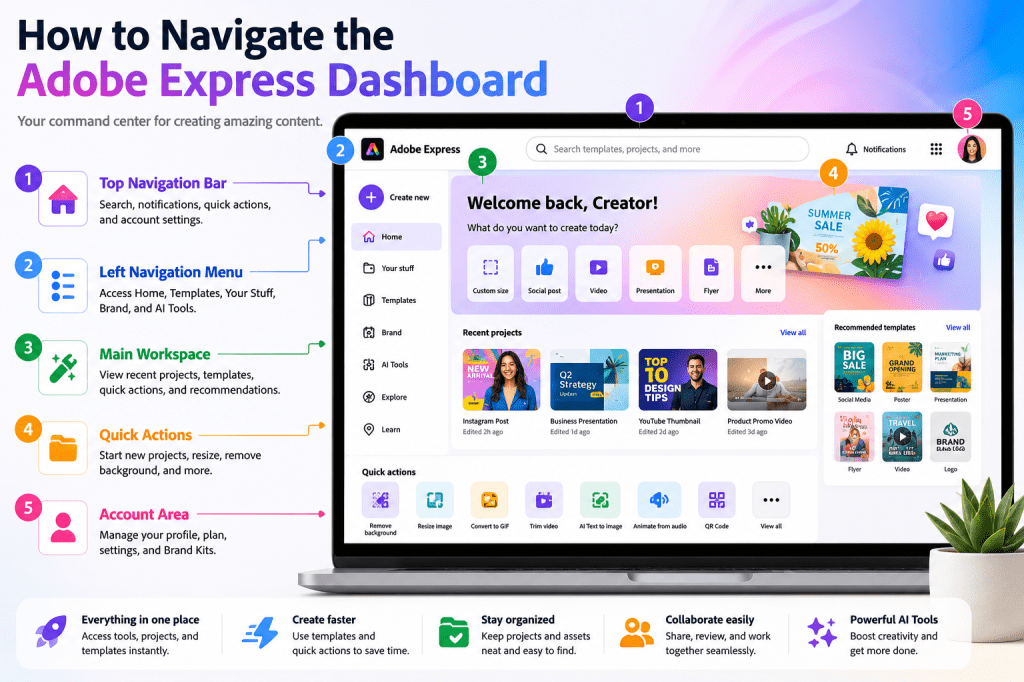 Continue reading →: How to Navigate the Adobe Express Dashboard
Once you’ve created an Adobe Express account and logged in successfully, you’ll arrive at the Adobe Express Dashboard. The dashboard is your central workspace. From here, you can: Create new projects Access templates Manage Brand Kits Open recent designs Use AI-powered tools Organize content Manage team resources Learning how to…
-
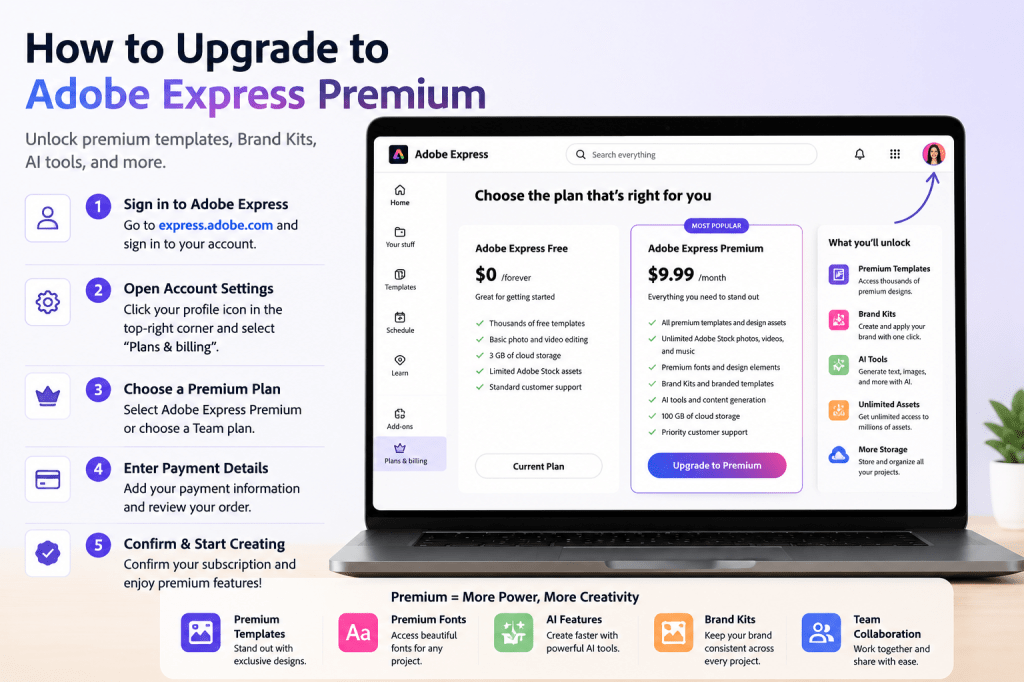 Continue reading →: How to Upgrade to Adobe Express Premium
Adobe Express offers a powerful free plan that allows users to create graphics, videos, presentations, social media content, and marketing materials. However, as your content creation needs grow, you may find yourself wanting access to additional features, premium templates, advanced AI tools, and brand management capabilities. That’s where Adobe Express…
-
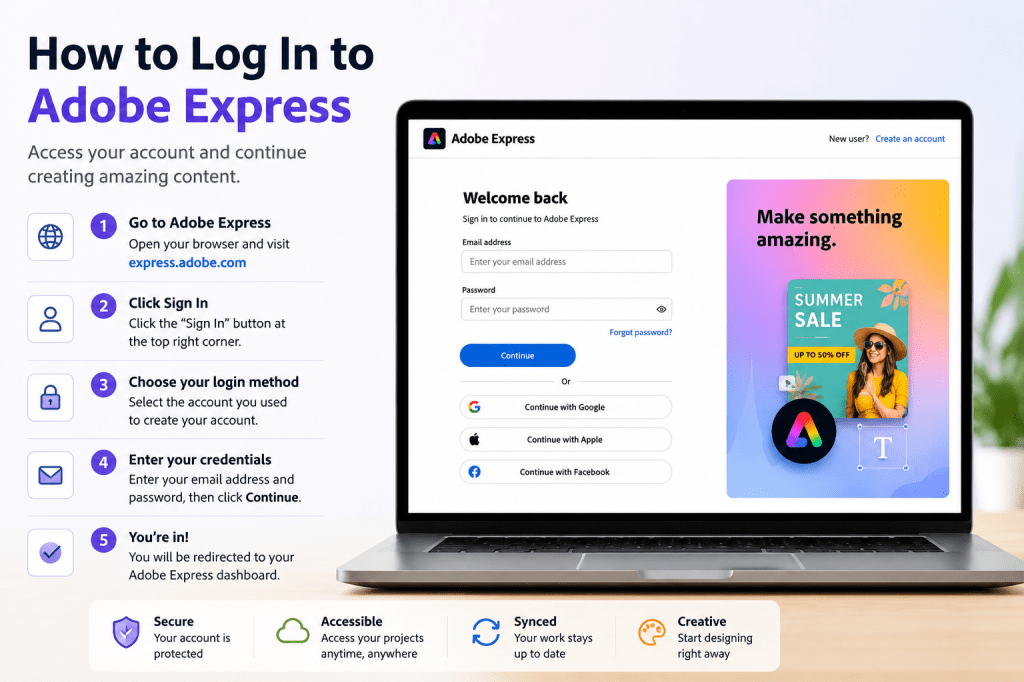 Continue reading →: How to Log In to Adobe Express
After creating your Adobe Express account, the next step is learning how to sign in quickly and securely. Whether you’re creating social media graphics, marketing campaigns, presentations, videos, or business content, you’ll need to access your Adobe Express dashboard regularly. Fortunately, logging in to Adobe Express is a straightforward process…
-
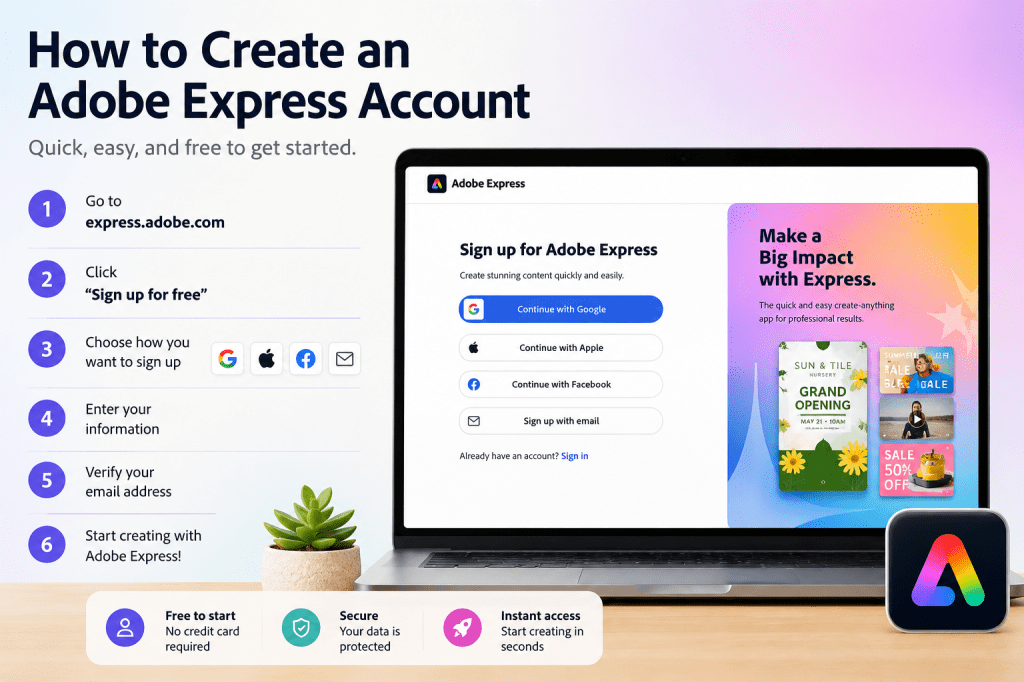 Continue reading →: How to Create an Adobe Express Account
Introduction Adobe Express makes it easy to create social media graphics, presentations, videos, flyers, marketing materials, and other visual content without requiring advanced design skills. Before you can start creating content, you’ll need an Adobe Express account. The good news is that creating an account only takes a few minutes,…
-
 Continue reading →: Master Adobe Express. Create More. Work Faster.
Introduction Content creation has become a core business activity. Whether you are a marketer, entrepreneur, educator, freelancer, agency owner, or content creator, the demand for high-quality content continues to grow. Social media posts, videos, presentations, marketing campaigns, training materials, newsletters, and promotional graphics all require time and effort to produce.…
Hello,
I’m Ben

Welcome to ArcobatExpressPro, your resource for mastering Adobe Express and creating professional content faster. Explore practical tutorials, productivity tips, AI-powered workflows, and creative strategies designed for marketers, educators, businesses, and content creators.
Let’s connect
Join the fun!
Stay updated with our latest tutorials and ideas by joining our newsletter.