-
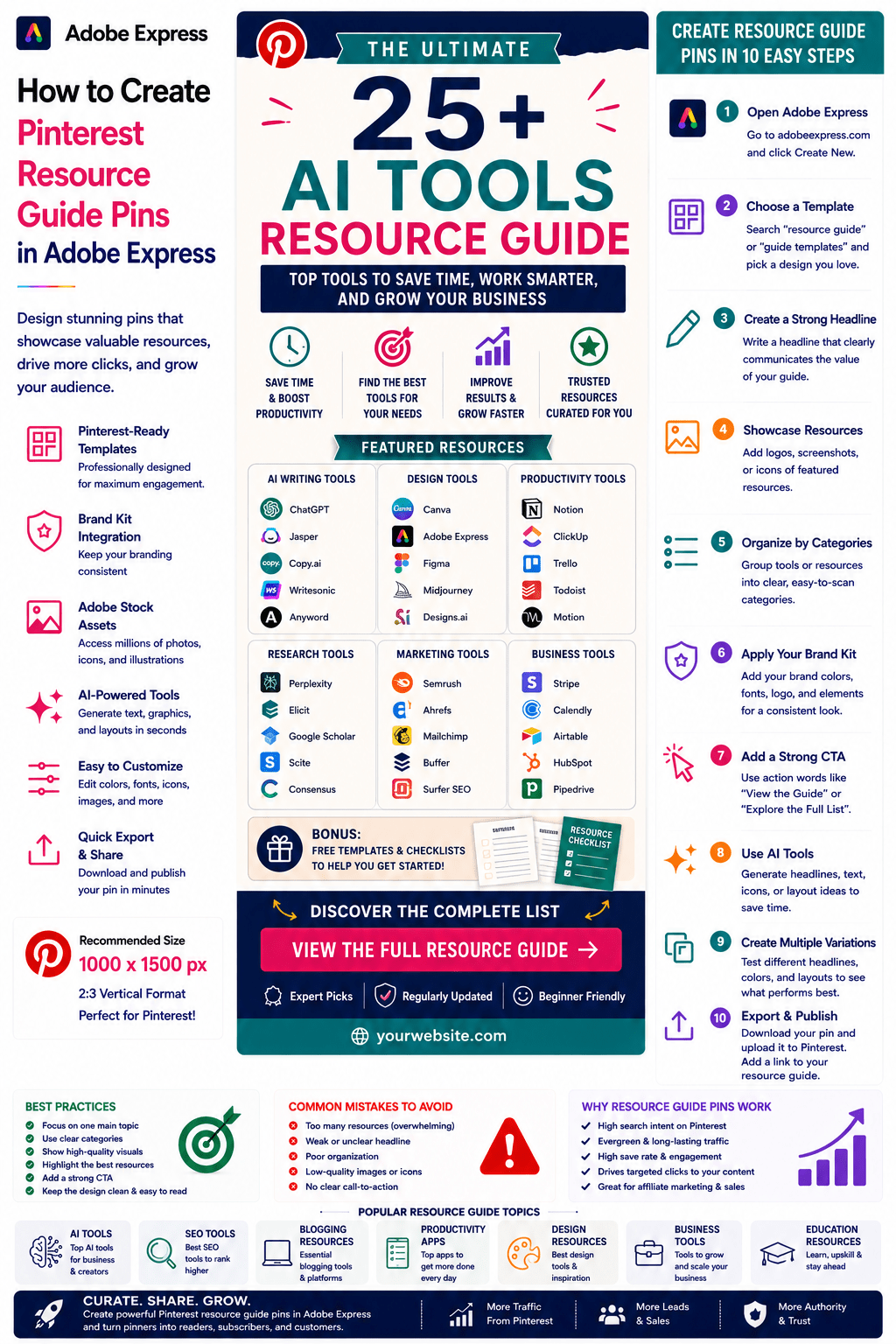 Continue reading →: How to Create Pinterest Resource Guide Pins in Adobe Express
Pinterest users love discovering curated resources. Whether they are searching for tools, websites, templates, books, software, AI platforms, educational materials, or productivity systems, users often save and share content that helps them solve problems faster. This makes Resource Guide Pins one of the most effective Pinterest content formats for generating:…
-
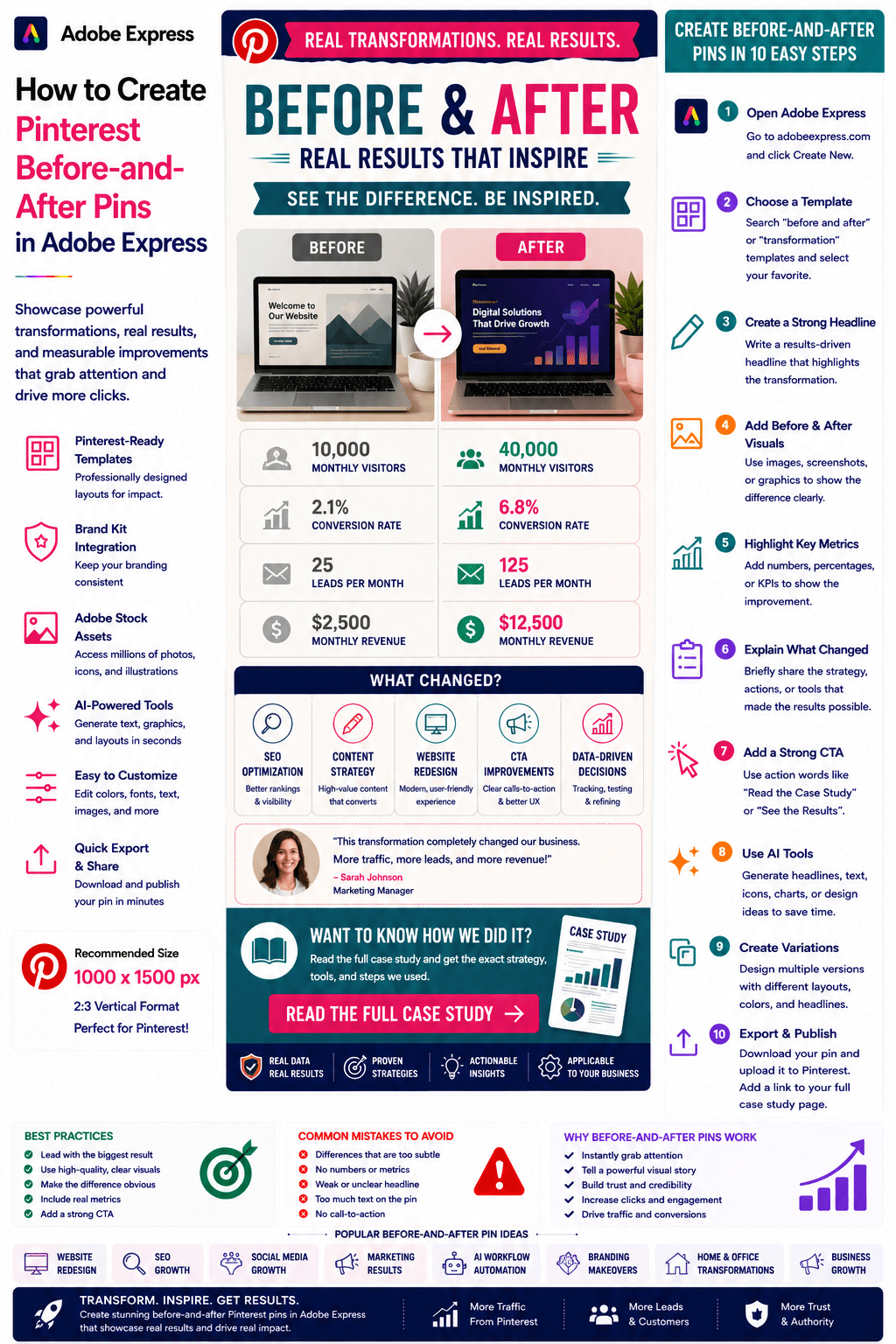 Continue reading →: How to Create Pinterest Before-and-After Pins in Adobe Express
Before-and-after content is one of the most compelling visual formats on Pinterest. People are naturally drawn to transformations. Whether it’s a business improvement, design makeover, fitness journey, website redesign, home renovation, marketing success story, or AI workflow optimization, users want to see the difference between the starting point and the…
-
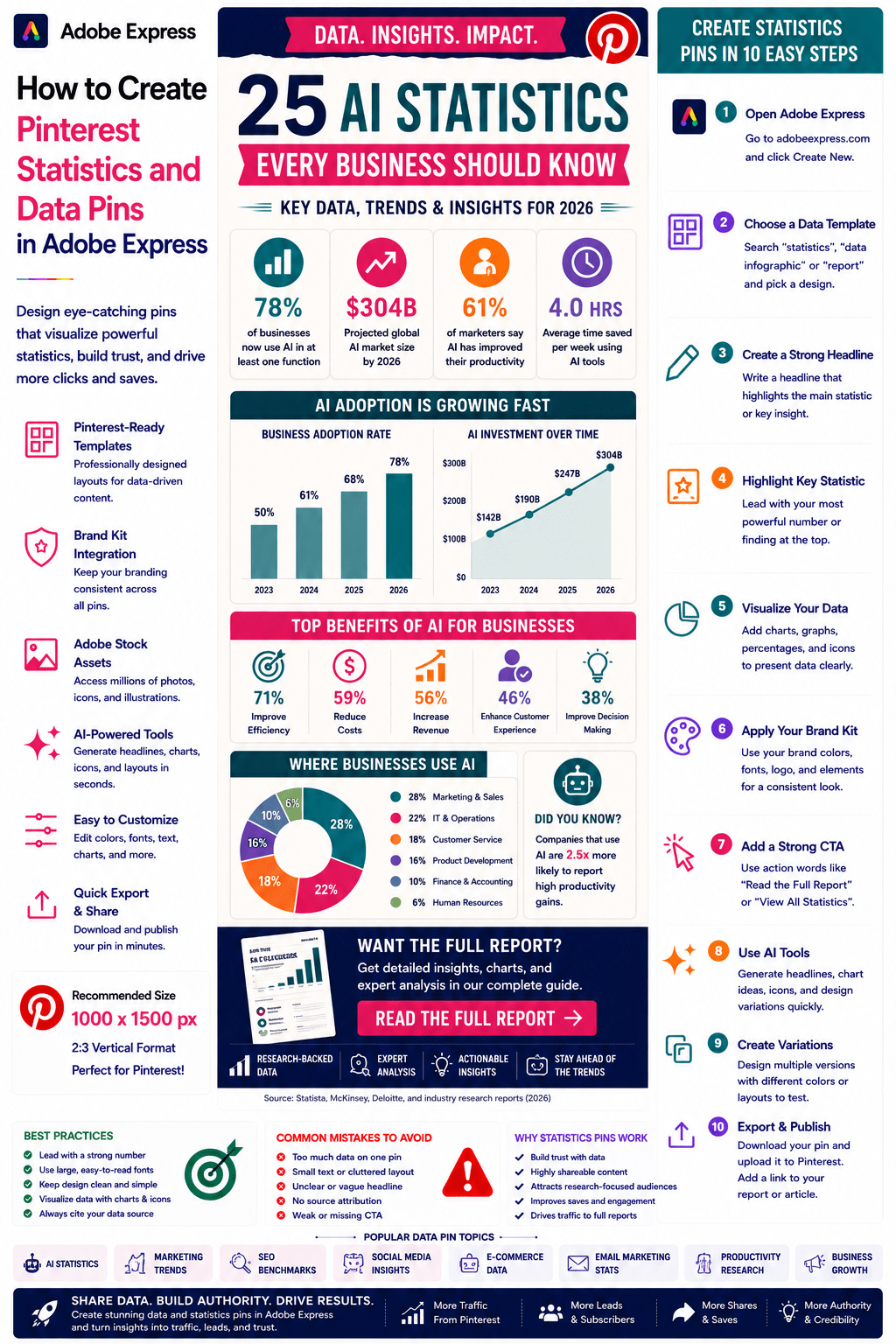 Continue reading →: How to Create Pinterest Statistics and Data Pins in Adobe Express
Statistics and data-driven content consistently perform well on Pinterest because people trust numbers. Whether you’re sharing research findings, industry trends, benchmark reports, survey results, marketing insights, AI adoption statistics, SEO studies, or business metrics, data pins can attract highly engaged audiences looking for credible information. Pinterest users frequently save and…
-
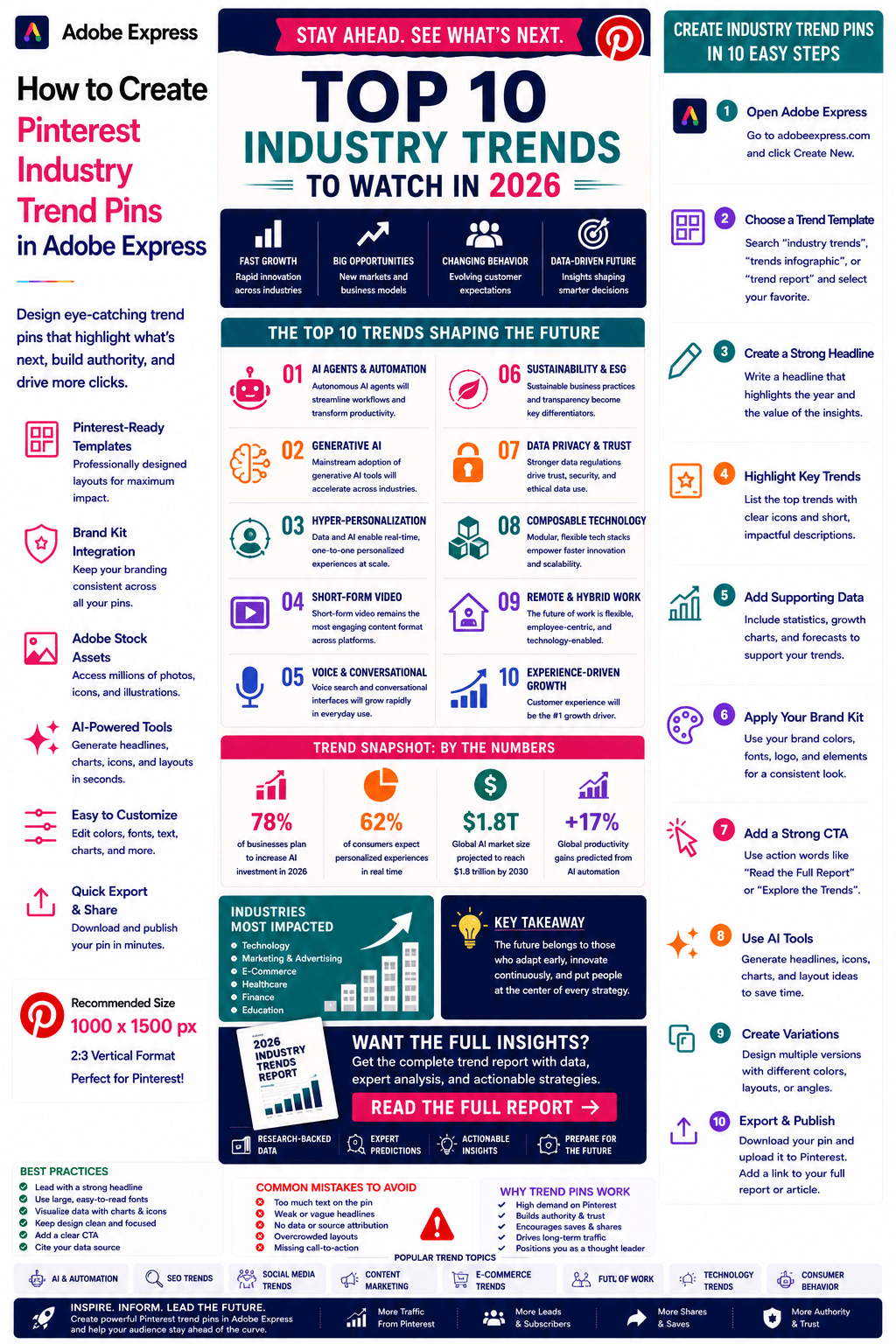 Continue reading →: How to Create Pinterest Industry Trend Pins in Adobe Express
Industry trends are among the most valuable forms of content on Pinterest. People use Pinterest to discover what’s new, what’s changing, and what opportunities are emerging in their industry. Whether you’re covering artificial intelligence, marketing, SEO, business growth, design, e-commerce, productivity, or social media, trend-focused content can attract highly engaged…
-
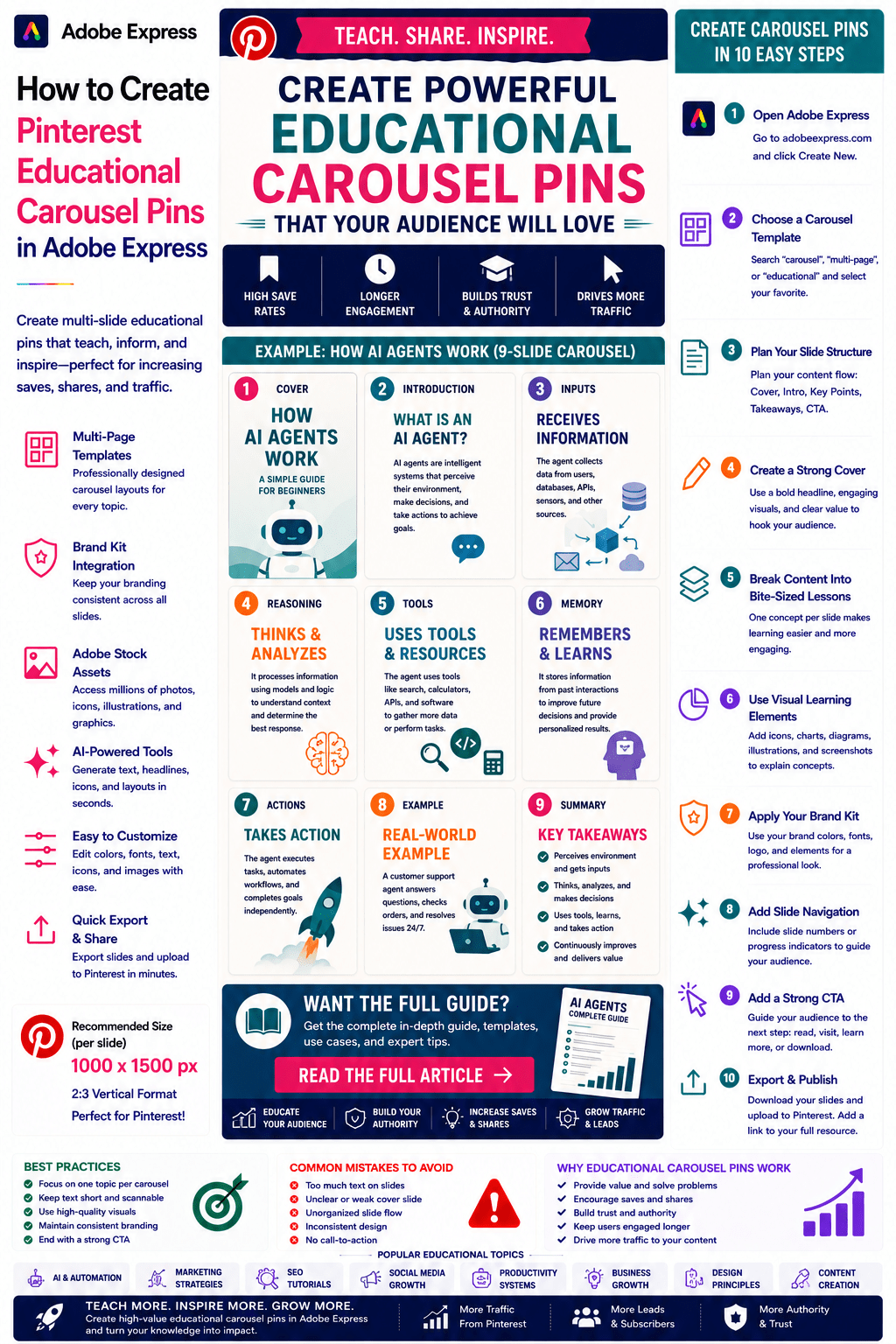 Continue reading →: How to Create Pinterest Educational Carousel Pins in Adobe Express
Educational content is one of the strongest-performing content categories on Pinterest. People visit Pinterest to learn new skills, discover ideas, solve problems, and improve their knowledge. Educational Carousel Pins take this a step further by allowing creators to present information in a structured, multi-slide format that guides users through a…
-
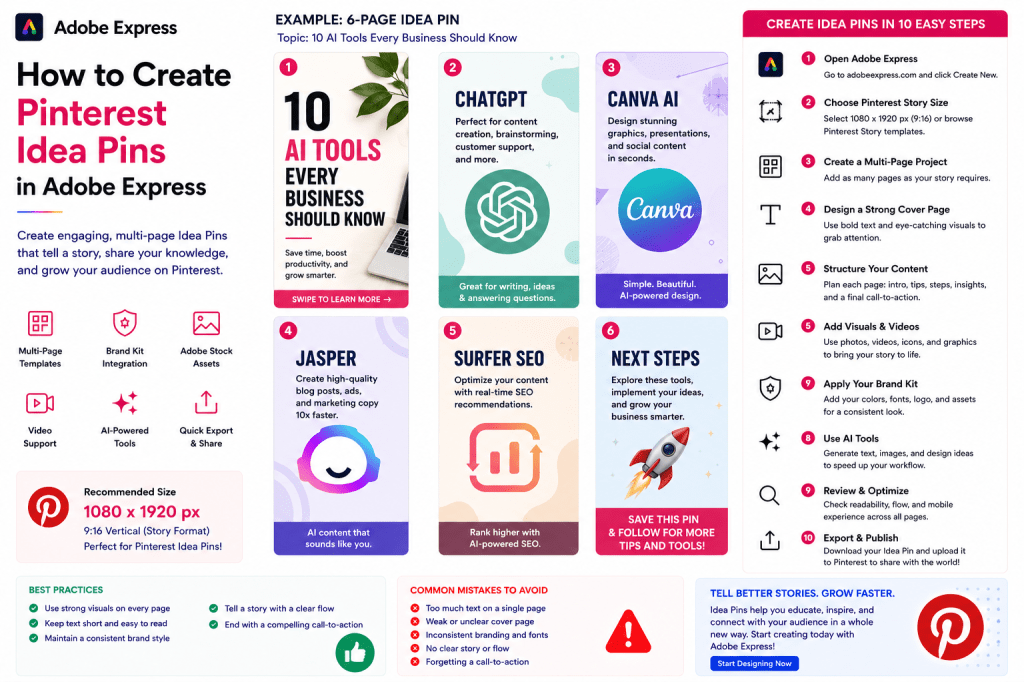 Continue reading →: How to Create Pinterest Idea Pins in Adobe Express
Introduction Pinterest Idea Pins are one of the most engaging content formats available on Pinterest. Unlike standard Pins, Idea Pins allow creators and businesses to publish multi-page visual stories that combine images, graphics, videos, text overlays, and educational content into an immersive experience. Idea Pins are perfect for: Tutorials Step-by-step…
-
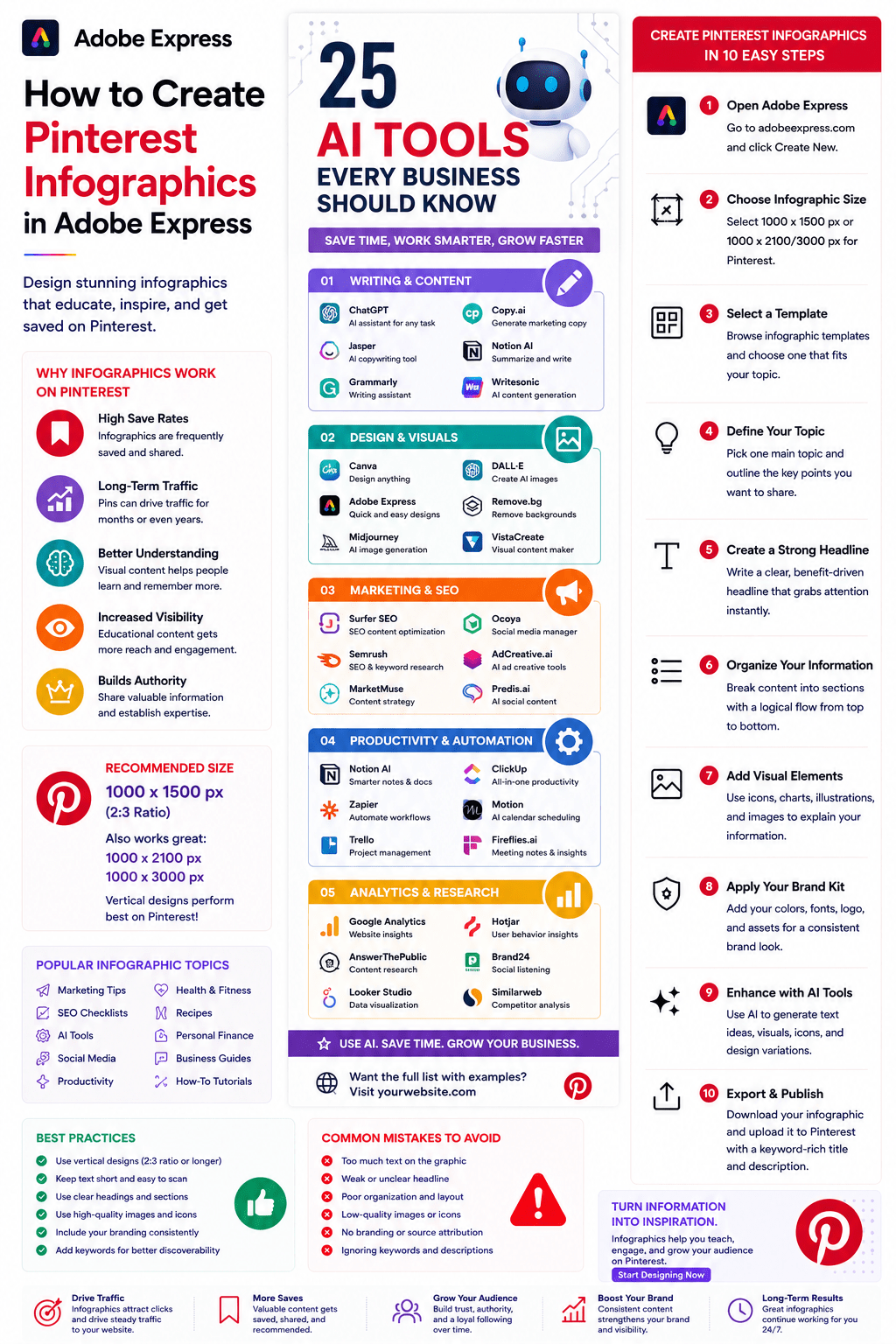 Continue reading →: How to Create Pinterest Infographics in Adobe Express
Pinterest and infographics are a perfect match. Pinterest users actively search for educational, visual, and information-rich content, making infographics one of the most effective formats for generating saves, shares, backlinks, and long-term website traffic. Whether you’re a blogger, marketer, educator, consultant, affiliate marketer, small business owner, or content creator, infographics…
-
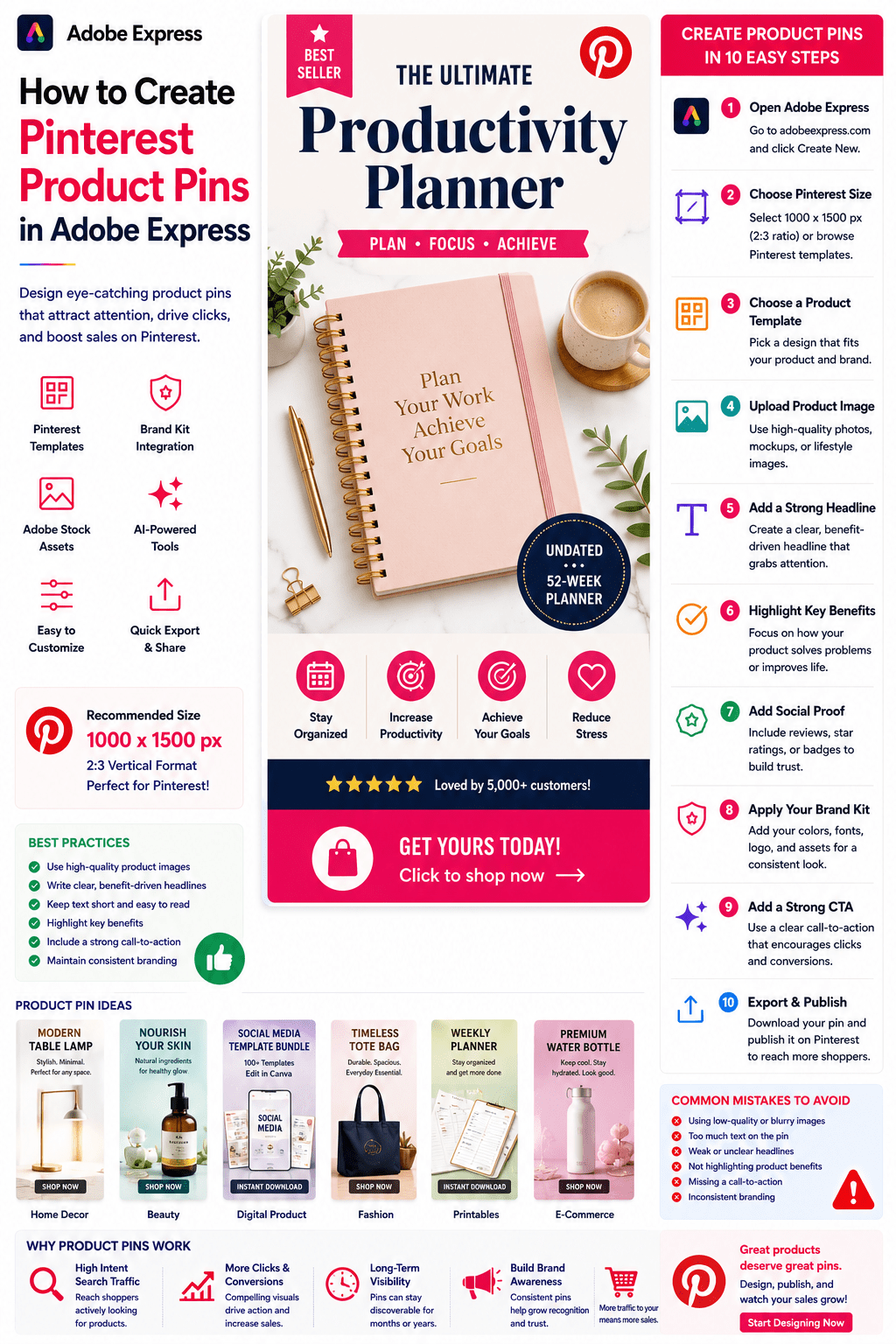 Continue reading →: How to Create Pinterest Product Pins in Adobe Express
Pinterest is one of the most powerful platforms for product discovery. Unlike many social media platforms that focus primarily on entertainment, Pinterest users actively search for products, ideas, recommendations, and purchasing inspiration. This makes Pinterest Product Pins an essential marketing tool for: E-commerce stores Etsy sellers Amazon affiliates Shopify businesses…
-
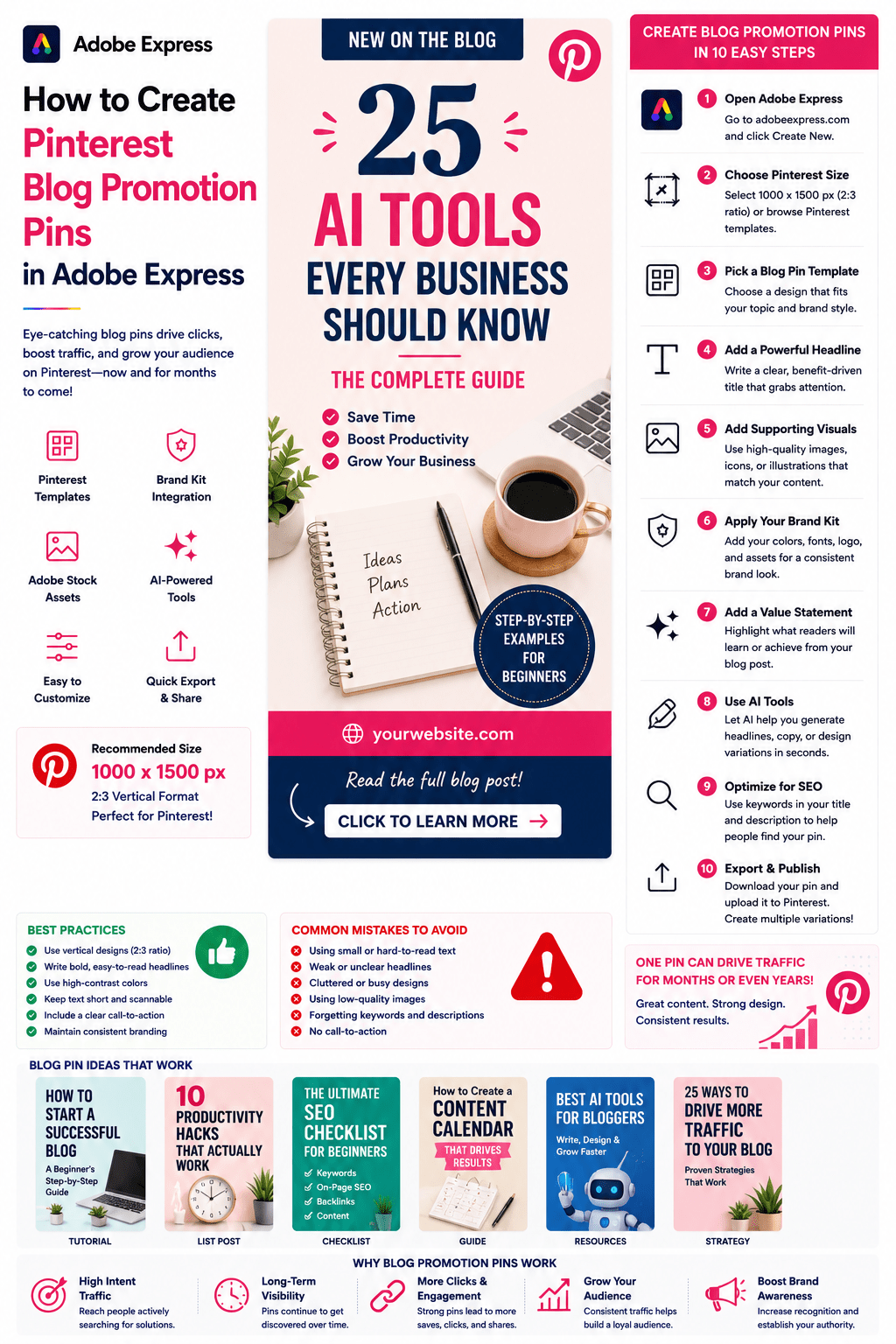 Continue reading →: How to Create Pinterest Blog Promotion Pins in Adobe Express
Pinterest is one of the most effective platforms for promoting blog content. Unlike traditional social media platforms where content quickly disappears from feeds, Pinterest functions as a visual search engine. A well-designed blog promotion pin can continue generating traffic for months or even years after publication. For bloggers, affiliate marketers,…
-
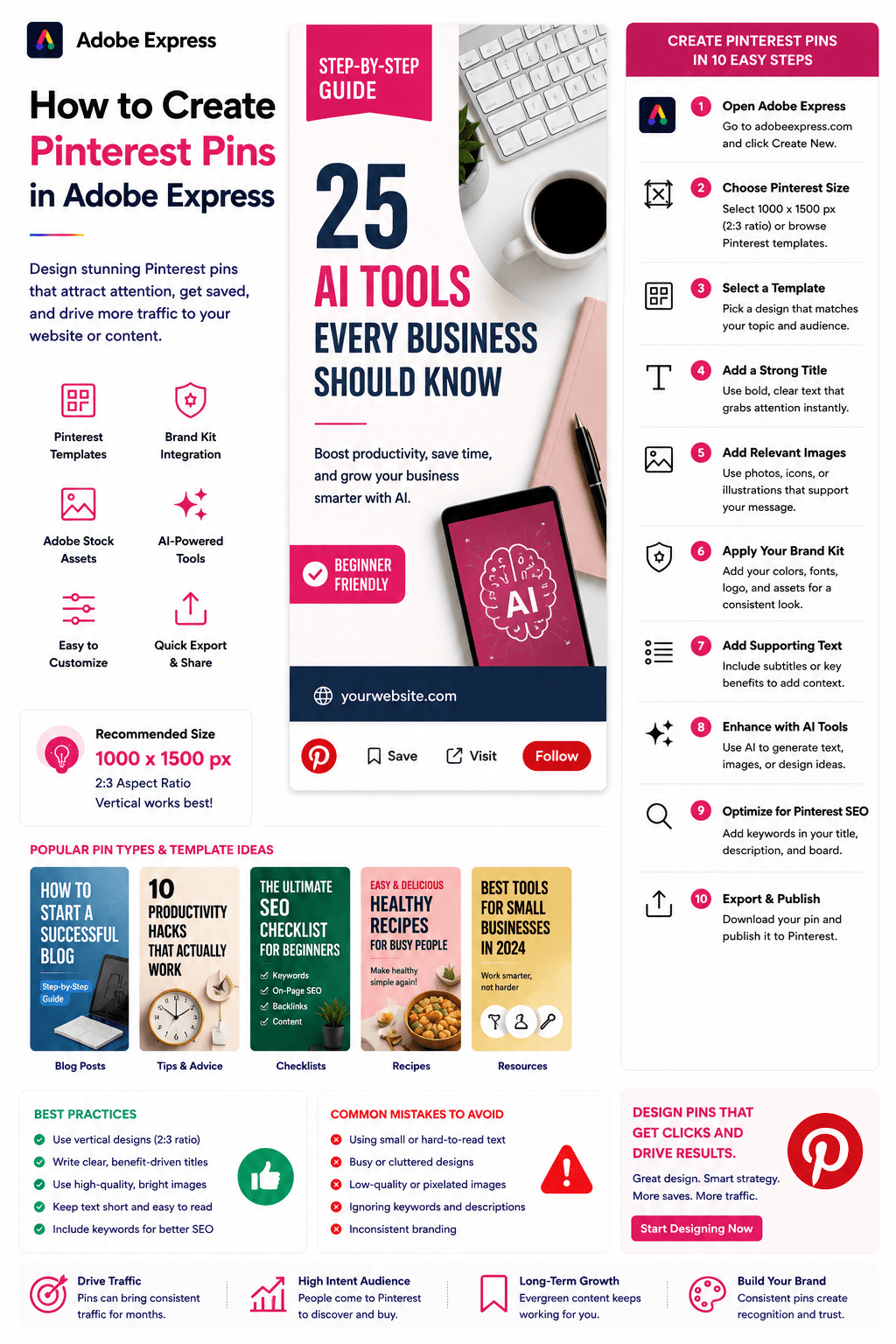 Continue reading →: How to Create Pinterest Pins in Adobe Express
Pinterest is one of the most powerful platforms for driving long-term website traffic, promoting products, growing audiences, and building brand awareness. Unlike many social networks where content disappears quickly, Pinterest pins can continue generating views, clicks, and engagement for months or even years after publication. Whether you’re a blogger, marketer,…
Hello,
I’m Ben

Welcome to ArcobatExpressPro, your resource for mastering Adobe Express and creating professional content faster. Explore practical tutorials, productivity tips, AI-powered workflows, and creative strategies designed for marketers, educators, businesses, and content creators.
Let’s connect
Join the fun!
Stay updated with our latest tutorials and ideas by joining our newsletter.